

Video Lite & PIP, Split Screen
Video Lite LLC · Utilities
Independent analytics for this App Store listing. AppTracker is not affiliated with Video Lite LLC.
Chart standing · US
What changed · US
Listing changes AppTracker has observed for this app in this storefront — new versions, price moves, rating shifts, and store copy.
- Improved stability for SPLIT VIDEO - Optimized SCREEN RECORDER and REACTION VIDEO creation Thank you for your trust and feedback!
Price & rating history · US
Reconstructed from the listing changes AppTracker has observed in this storefront. A field is charted once it has changed more than once, and each line starts at the value it moved from.
Average rating · ★ 4.55 now · 7 changes on record
Ratings breakdown · US
The star breakdown behind this app's rating in this storefront.
In-app purchases · US
No in-app purchases.
Screenshots




About
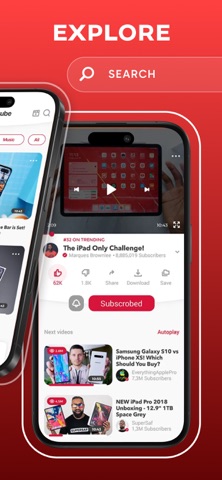
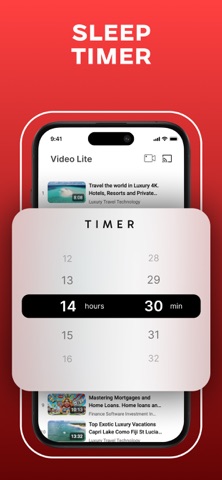
TWO VIDEOS. ONE SCREEN. PICTURE-IN-PICTURE. React. Record. Create. Watch two videos at once. Record your facecam reactions live. Use PiP (Picture-in-Picture) to keep watching while multitasking. Record your screen, edit clips quickly, and share — all inside one app. KEY FEATURES: • PiP — keeps video always on screen • Split screen — watch 2 videos together • Facecam — live reaction recording • Screen recording with audio & camera • Video editor — quick cut & export • Sleep timer — auto stops playback USE IT FOR: — Reaction videos, reviews, commentary — Watching videos while chatting or working — Learning, comparing, creating — Sleeping with relaxing playback BUILT FOR THOSE WHO DO MORE THAN JUST WATCH. Open. Watch. Record. Simple.
What's new · 1.5
- Improved stability for SPLIT VIDEO - Optimized SCREEN RECORDER and REACTION VIDEO creation Thank you for your trust and feedback!
Details