

Screen Mirroring • Smart TV
Mihkel Pikk · Utilities
Independent analytics for this App Store listing. AppTracker is not affiliated with Mihkel Pikk.
Chart standing · US
What changed · US
Listing changes AppTracker has observed for this app in this storefront — new versions, price moves, rating shifts, and store copy.
Price & rating history · US
Reconstructed from the listing changes AppTracker has observed in this storefront. A field is charted once it has changed more than once, and each line starts at the value it moved from.
Average rating · ★ 4.70 now · 9 changes on record
Ratings breakdown · US
The star breakdown behind this app's rating in this storefront.
In-app purchases · US
What this app sells inside itself, grouped by kind and priced for this storefront.
Screenshots


About
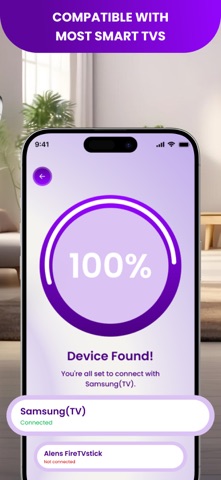
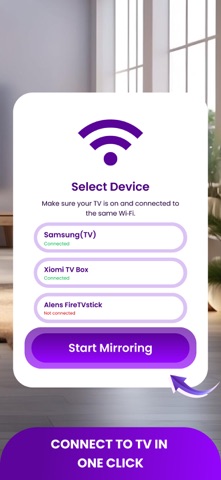
Mirror your iPhone to any big screen fast. Screen Mirroring lets you cast photos, videos, music, and live demos to your TV in seconds. No cables, no setup headaches - just connect and go. What you get - One-Tap Mirroring - instant cast from phone to TV. - Cast Everything - photos, videos, web videos, music, docs, slides. - Works With Most Smart TVs - Samsung, LG, Roku, Fire TV, Android TV, Chromecast. - Auto-Discovery - finds devices on your Wi-Fi and remembers favorites. - Low-Latency Mode - perfect for walkthroughs, classes, and demos. How to use - Connect iPhone and TV to the same Wi-Fi. - Open the app and select your device. - Tap Start Mirroring. That’s it. Pro tip. Some apps protect movies with DRM - those streams may not mirror. Turn your living room into a big-screen experience. Download Screen Mirroring and start casting now. Privacy Policy: https://telegra.ph/Privacy-Policy-of-Screen-Cast-08-05 Terms Of Use: https://telegra.ph/Terms-of-Use-of-ScreenCast-08-05
What's new · 1.0.4
We have added support for many new languages, so you can use the app in a language that feels natural to you. Update now and enjoy an even smoother experience.
Details