

Photos to PDF - EZPDF
Veskisoft OU · Utilities
Independent analytics for this App Store listing. AppTracker is not affiliated with Veskisoft OU.
Chart standing · US
What changed · US
Listing changes AppTracker has observed for this app in this storefront — new versions, price moves, rating shifts, and store copy.
• Minor bug fixes and stability improvements
In-app purchases · US
What this app sells inside itself, grouped by kind and priced for this storefront.
Screenshots




About
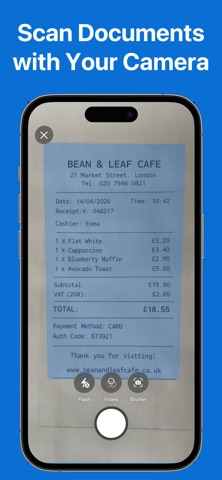
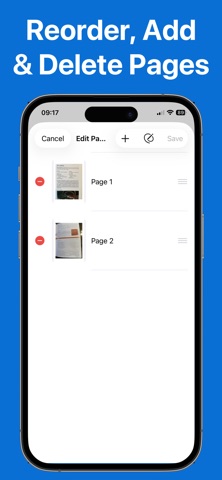
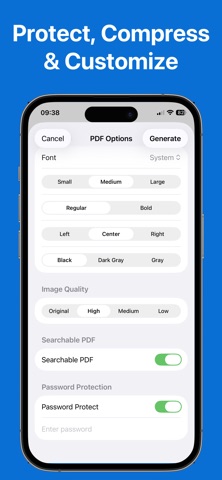
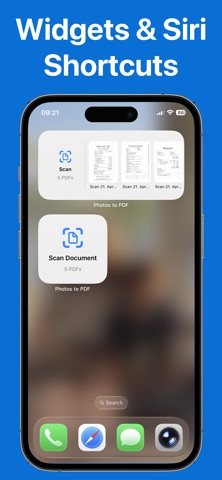
Photos to PDF – EZPDF is the easiest way to turn photos, scans, and documents into professional PDFs — then edit, annotate, sign, and share them, all from your iPhone. CREATE PDFs IN SECONDS • Select photos from your library or scan documents with your camera • Add captions, choose layouts (portrait, landscape, two-per-page) • Set page numbers, headers, footers, and custom cover pages POWERFUL EDITING TOOLS • Reorder, add, or delete pages after creation • Annotate with freehand drawing, text, shapes, and highlights • Add digital signatures — draw or place saved signatures anywhere • Rotate and convert images to black & white before generating PRO FEATURES • OCR: Create searchable PDFs with invisible text layers • Password protection: Encrypt PDFs with a passcode • Compression: Choose quality levels to reduce file size • iCloud sync: Access your PDF library across all your devices BUILT FOR EVERYDAY USE File receipts, collect school forms, capture DIY steps with captions, create mood boards, scan contracts, sign documents — EZPDF handles it all. • Siri Shortcuts: "Create a PDF" or "Scan a document" hands-free • Widgets: Quick actions right from your Home Screen • Share Extension: Convert photos from any app Free to use. Upgrade to Pro for OCR, signatures, password protection, compression, iCloud sync, and unlimited pages. Terms of use https://veskisoft.com/app-terms/ Privacy policy https://veskisoft.com/app-privacy/
What's new · 2.0.2
• Minor bug fixes and stability improvements
Details