

Video Script Teleprompter
NESCM ATTRIBUTES OU · Photo & Video
Independent analytics for this App Store listing. AppTracker is not affiliated with NESCM ATTRIBUTES OU.
Chart standing · US
What changed · US
Listing changes AppTracker has observed for this app in this storefront — new versions, price moves, rating shifts, and store copy.
- Minor fixes
In-app purchases · US
What this app sells inside itself, grouped by kind and priced for this storefront.
Screenshots


About
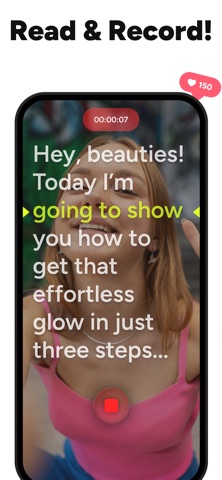
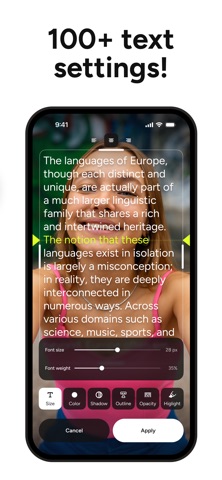
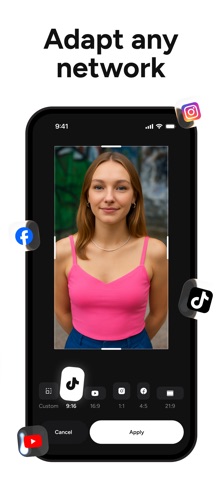
Speak confidently on camera — without memorizing a thing. Read from a scrolling teleprompter while you record, keep natural eye contact, and get a strong take faster. Teleprompter: Video Recording helps you sound clear, calm, and prepared — even on your first take. How it works 1. Paste or write your script 2. Start recording 3. Read smoothly as the text scrolls Key features READ YOUR SCRIPT WHILE RECORDING See a scrolling script on screen while the camera records, so you can focus on speaking instead of remembering your lines. KEEP NATURAL EYE CONTACT Position and align the text close to the front camera to maintain a believable eye line and speak directly to your audience. MAKE YOUR SCRIPT EASY TO READ Adjust font size, text and background colors, and scroll speed to match your speaking pace and recording environment. WRITE OR PASTE SCRIPTS IN SECONDS Create scripts directly in the app or paste text from other apps, then edit and reuse them whenever you need a new take. RECORD AND REVIEW TAKES Capture videos with the teleprompter, watch them back, and refine your delivery until you’re happy with the result. Use Teleprompter: Video Recording if you are: • a creator or vlogger filming talking-head videos, intros, and outros; • a teacher or trainer recording lessons, tutorials, or online courses; • an entrepreneur or coach preparing pitches, sales videos, or announcements; • a professional getting ready for speeches, interviews, or online events; • anyone who wants to deliver a clear message on video without learning a script by heart. Free + optional PRO Core teleprompter and recording features are free. PRO adds extra controls for users who need more flexibility. Subscription can be managed in your App Store settings. Create smoother takes, keep your eyes on the camera, and let your ideas flow. Start recording with Teleprompter: Video Recording today.
What's new · 3.6
- Minor fixes
Details