
Chart standing · US
Screenshots


About
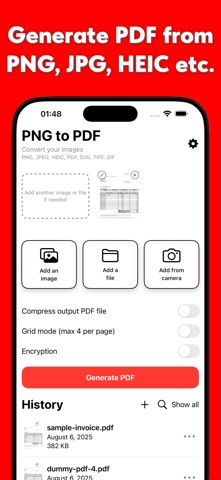
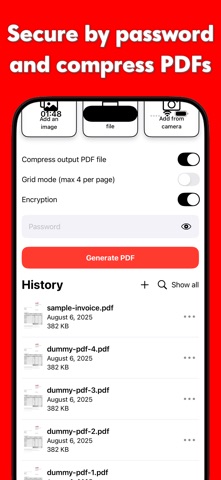
Convert Images to PDF Transform PNG, JPEG, JPG, HEIC, SVG, or other pictures into a high-quality PDF with a single tap. Flexible Page Management Insert or remove pages whenever you need. Reorder pages by simple drag-and-drop. Combine several PDFs into one seamless file. Grid Layouts Place up to four images on a single page. Ideal for collages, visual reports, or quick side-by-side comparisons. Security and Privacy Add a password and strong encryption to any PDF. Secure your passwords instantly with Face ID. All files stay on your device; nothing is sent elsewhere unless you share it. Key Features at a Glance • Create new PDFs from photos. • Merge existing PDFs. • Delete or insert pages on demand. • Arrange images in flexible 2×2, 1×2, or 1×4 grids. • Protect documents with a password. Whether you’re organising study notes, signing contracts, or archiving memories, this app gives you complete PDF control—fast, secure, and fully offline. Terms: https://inchgames.com/terms Privacy: https://inchgames.com/privacy-policy
What's new · 1.1
We fixed some bugs. Thank you for staying with us!
Details