

PDF Scanner - Sign & OCR
Zarifjon Ergashev · Productivity
Independent analytics for this App Store listing. AppTracker is not affiliated with Zarifjon Ergashev.
Chart standing · US
What changed · US
Listing changes AppTracker has observed for this app in this storefront — new versions, price moves, rating shifts, and store copy.
• Full translations across all supported languages • Improved subscription screen • Bug fixes and performance improvements
Ratings breakdown · US
The star breakdown behind this app's rating in this storefront.
In-app purchases · US
What this app sells inside itself, grouped by kind and priced for this storefront.
Screenshots



About
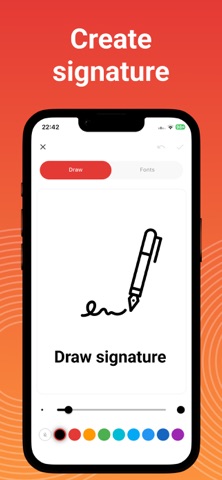
The smartest PDF scanner app for your pocket. Scan documents, extract text with OCR, sign contracts, and share professional PDFs — all in seconds. No watermarks. No hassle. Whether you're scanning receipts, contracts, IDs, whiteboards, or handwritten notes, PDF Scanner delivers crystal-clear results with automatic edge detection and instant text recognition in 50+ languages. SCAN ANYTHING, ANYWHERE - Snap photos or batch scan multiple pages - Import existing PDFs and images from your gallery - Auto-capture mode detects documents instantly - Smart cropping straightens and cleans edges automatically POWERFUL OCR TEXT EXTRACTION - Extract text from any scanned document or image - Supports 50+ languages including Asian scripts - Copy, edit, and share extracted text instantly - Turn paper into searchable, editable content SIGN DOCUMENTS DIGITALLY - Create signatures three ways: draw, type, or scan - Sign contracts, forms, and agreements on your phone - Add custom stamps and date overlays - Send signed documents in seconds — no printing needed PROFESSIONAL EDITING TOOLS - Apply filters: black & white, grayscale, color enhance - Adjust brightness, contrast, and sharpness - Rotate, crop, and reorder pages - Export as high-quality PDF or JPG ORGANIZE & SHARE EFFORTLESSLY - Create folders to organize your documents - Rename, search, and manage files with ease - Share via email, WhatsApp, or any app - Export directly to Google Drive, Dropbox, iCloud & more WHY USERS LOVE PDF SCANNER - No Watermarks — clean, professional documents every time - Works Offline — scan, sign, and edit without internet - Private & Secure — your files stay on your device - Lightning Fast — lightweight app, instant results - Simple Design — intuitive interface anyone can use PERFECT FOR - Business professionals signing contracts remotely - Students digitizing notes and textbooks - Accountants organizing receipts and invoices - Teachers scanning worksheets and documents - Travelers keeping digital copies of important IDs - Anyone going paperless PREMIUM FEATURES Unlock the full experience with PDF Scanner Pro: - Unlimited scanning and OCR - Advanced export options - Priority feature updates - Ad-free experience Start free, upgrade when you're ready. Download PDF Scanner now and turn your phone into the only scanner you'll ever need. Scan, extract, sign, share — done. Terms of Use: https://notelark.web.app/pdfscanner-terms Privacy Policy: https://notelark.web.app/pdfscanner-privacy Support address: zarifergashev4@gmail.com
What's new · 2.0.19
• Full translations across all supported languages • Improved subscription screen • Bug fixes and performance improvements
Details