

Yearwise
Revoroute Ltd · Lifestyle
Independent analytics for this App Store listing. AppTracker is not affiliated with Revoroute Ltd.
Chart standing · US
What changed · US
Listing changes AppTracker has observed for this app in this storefront — new versions, price moves, rating shifts, and store copy.
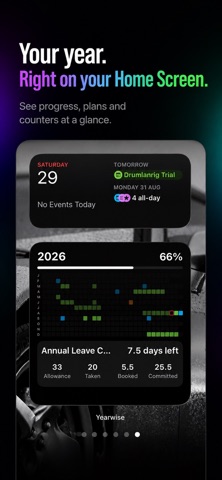
• New extra-large iPad widget to see more of your year at a glance. • Improved widget layouts and clearer day totals. • Easier navigation on Mac with zoom buttons, a zoom slider and keyboard shortcuts.
In-app purchases · US
What this app sells inside itself, grouped by kind and priced for this storefront.
Screenshots


About
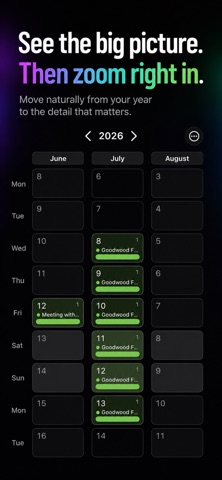
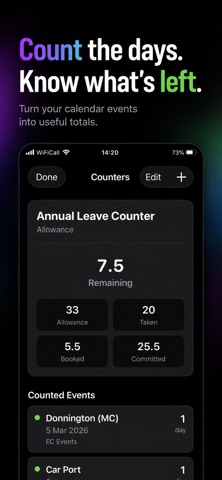
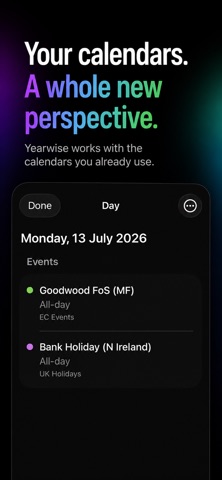
See your whole year at a glance. Yearwise turns your Apple Calendar into a clear, visual year planner — giving you the big-picture view that’s difficult to get from a traditional calendar. See work, holidays, events and important dates across the entire year. Zoom in when you need more detail, or step back to understand how your year fits together. Your calendars, one year view Choose which Apple Calendars you want to see and Yearwise brings them together into a simple colour-coded year planner. Your existing Apple Calendar remains the source of truth, so there’s no second calendar to maintain. Zoom from the year to the detail Start with the complete year and zoom in progressively to reveal more information. Tap a day to see its events without losing sight of the bigger picture. Track the days that matter Counters let you keep track of things such as annual leave, working days or other important groups of dates using events already in your calendars. Built for the year ahead • Full-year calendar view • Apple Calendar integration • Select the calendars you want to display • Colour-coded events and dates • Pinch-to-zoom detail • In-app day view • Custom day counters • Year progress • Home Screen widgets • Light and dark appearance • Classic, Slate and Paper themes Yearwise is designed to complement Apple Calendar, not replace it. Your calendar remains where it already belongs while Yearwise gives you a better way to see the year as a whole. No account required. No ads.
What's new · 1.2
• New extra-large iPad widget to see more of your year at a glance. • Improved widget layouts and clearer day totals. • Easier navigation on Mac with zoom buttons, a zoom slider and keyboard shortcuts.
Details