

MaxAlarm: Loud Alarm Clock
Future Artifact Labs Limited · Health & Fitness
Independent analytics for this App Store listing. AppTracker is not affiliated with Future Artifact Labs Limited.
Chart standing · US
What changed · US
Listing changes AppTracker has observed for this app in this storefront — new versions, price moves, rating shifts, and store copy.
Price & rating history · US
Reconstructed from the listing changes AppTracker has observed in this storefront. A field is charted once it has changed more than once, and each line starts at the value it moved from.
Average rating · ★ 4.21 now · 6 changes on record
Ratings breakdown · US
The star breakdown behind this app's rating in this storefront.
In-app purchases · US
What this app sells inside itself, grouped by kind and priced for this storefront.
Screenshots


About
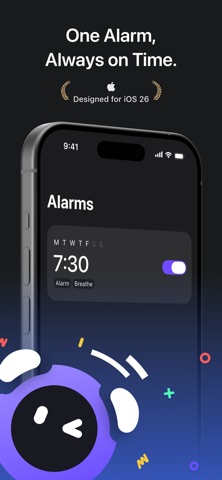
Won’t Stop Till You Get Up! MaxAlarm: The Smart Alarm You Can’t Turn Off — Never Miss What Matters One Alarm Is All You Need Still setting 8 or 10 alarms like a “wake-up army,” only to snooze them all and fall back asleep? Try MaxAlarm — the task-based alarm that actually wakes you up! It’s simple: complete the task to turn off the alarm. No more mindlessly hitting “stop” and oversleeping again. Struggle to Get Out of Bed? Let MaxAlarm’s Brain Wake and Body Wake tasks help you out: Wake up your brain: Type a short phrase (give yourself a morning pep talk!), solve a small math puzzle, or memorize a word — with easy modes included for the sleepy-minded. Your brain’s now online! Wake up your body: Take a few steps out of bed, jump a little, take a deep breath, or even scan a QR code in your living room (the farther you hide it, the better!). Your body’s ready to go! Sounds You’ll Love Choose from a variety of built-in sounds — gentle, loud, funny, or just plain weird — pick what works for you! Designed for iOS 26 • Fully integrated with the iOS 26 system alarm • Clean, smooth, and perfectly matches the new system style It’s time to say goodbye to ineffective alarms. MaxAlarm doesn’t just wake you up — it helps you start your day with purpose. Contact Us We’d love to hear from you! Email: alex@futureartifact.xyz Your feedback and support drive us to keep improving. Purchase / Subscription MaxAlarm is free to download. Upgrade to MaxAlarm Pro to unlock all premium features. We offer three purchase options: • One-time purchase • Monthly auto-renewal • Annual auto-renewal Subscription details: Once you confirm and pay, your Apple iTunes account will automatically renew your subscription at the end of each billing cycle. To cancel, please turn off auto-renewal in your iTunes / Apple ID settings at least 24 hours before the current period ends. If you do not cancel during the trial, your subscription will automatically begin and be charged at the end of the trial period. Renewal is entirely up to you — if you choose not to cancel, your next billing cycle will continue automatically. Terms of Use & Privacy Policy Terms of Use: https://docs.maxalarm.co/terms.html Privacy Policy: https://docs.maxalarm.co/privacy.html
What's new · 1.0.4
Welcome to MaxAlarm — the ultimate alarm you can’t turn off until you get up! This update includes: • Bug fixes
Details