

Screenshot Editor: ScriblyShot
Aleksandr Timonchev · Productivity
Independent analytics for this App Store listing. AppTracker is not affiliated with Aleksandr Timonchev.
Chart standing · US
What changed · US
Listing changes AppTracker has observed for this app in this storefront — new versions, price moves, rating shifts, and store copy.
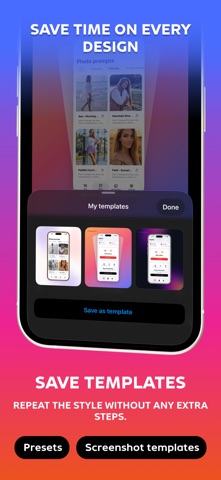
- Save your project designs as templates and reuse them with new screenshots. - Add customizable captions for social media. - Fine-tune element scaling, positioning, and spacing. - Improved video audio controls. - Updated project library with bulk actions. - Export fixes and stability improvements.
Screenshots


About
ScriblyShot - powerful screenshot editor for creating professional presentations and tutorials. SMART EDITING: Automatic text recognition with Vision technology Highlight words with a single tap 8 marker colors for any task Precise pixelation of sensitive data PROFESSIONAL TOOLS: Draw arrows, lines and shapes Add text comments Underline and strikethrough Adjust thickness and transparency PRIVACY PROTECTION: Hide card numbers and personal data Blur and pixelation effects All processing happens locally on device Your images never leave your iPhone UNLIMITED EXPORT: High quality HD output No watermarks (Premium) Instant save to gallery Easy sharing to social networks EASE OF USE: Intuitive interface Quick access to all tools Undo and redo actions Instant preview Perfect for creating tutorials, presentations, reports and educational content. Transform ordinary screenshots into professional materials in seconds! https://codispace.notion.site/ScriblyShot-Privacy-Terms-235b6e9df3a0807ab30df832ec225afe
What's new · 3.2
- Save your project designs as templates and reuse them with new screenshots. - Add customizable captions for social media. - Fine-tune element scaling, positioning, and spacing. - Improved video audio controls. - Updated project library with bulk actions. - Export fixes and stability improvements.
Details