

Doc Align - Perspective Fixer
Kazuhisa Kobayashi · Productivity
Independent analytics for this App Store listing. AppTracker is not affiliated with Kazuhisa Kobayashi.
Chart standing · US
What changed · US
Listing changes AppTracker has observed for this app in this storefront — new versions, price moves, rating shifts, and store copy.
- Document text can now be made clearer and easier to read using image processing. - iOS 17 and later: You can now zoom in to inspect the corrected image on the completion screen.
In-app purchases · US
What this app sells inside itself, grouped by kind and priced for this storefront.
Screenshots



About
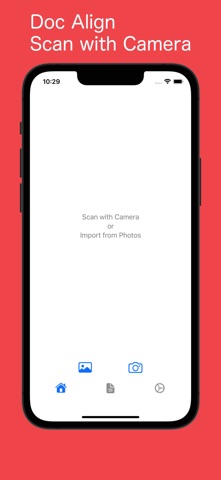
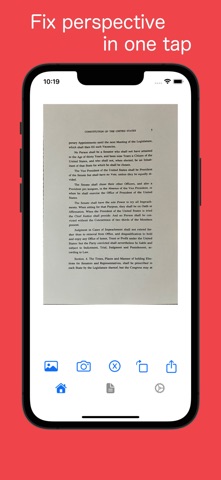
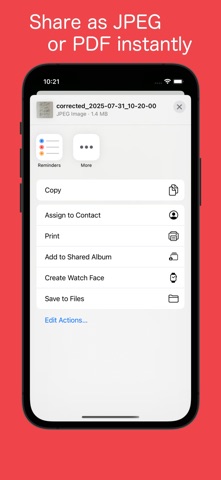
Key Features - Scan documents, notes, OA boards, blackboards, and photos - Import photos saved on your iPhone - Automatically detect document edges - Auto-correct distortion and straighten images - Extract text from images (OCR) - Share as JPEG or PDF - Share extracted text only What is Doc Align? Doc Align automatically corrects distortions and converts captured or imported images into clean, straight PDFs or JPEGs. It works like a scanner, and with OCR, you can extract text for work, study, or organization. Sharing is simple — send PDFs or images instantly. You can also import photos saved on your iPhone, making it easy to use anytime. Everything is done within the app for smart document management at your fingertips. Useful for - Preparing neat documents for submission - Saving whiteboard notes or board writings - Organizing business cards or receipts into PDFs - Extracting text from images for reuse
What's new · 1.4.0
- Document text can now be made clearer and easier to read using image processing. - iOS 17 and later: You can now zoom in to inspect the corrected image on the completion screen.
Details