

My Schedule — Calendar
Paran · Lifestyle
Independent analytics for this App Store listing. AppTracker is not affiliated with Paran.
Chart standing · US
What changed · US
Listing changes AppTracker has observed for this app in this storefront — new versions, price moves, rating shifts, and store copy.
Improved the clock layout in Dynamic Island. Upcoming reminders now appear in the Two Weeks widget.
Screenshots


About
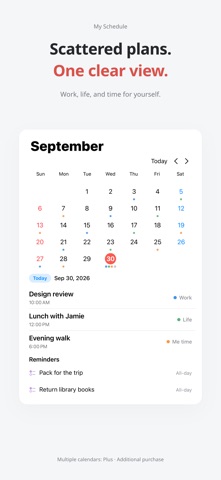
Events and holidays at a glance. Stay in today’s flow with widgets. Calendar content is processed on your device. My Schedule is a modern, minimal calendar. With useful widgets, you can see your plans and remaining time at a glance, so you never lose the flow of your day. Use one calendar, event editing, reminders, Timeline and basic widgets free with no time limit. Plus adds multiple calendars, Quick Add and voice input, advanced widgets and Live Activities. Choose a yearly subscription, or a one-time lifetime purchase. https://paran.app/my-schedule/privacy https://paran.app/my-schedule/terms
What's new · 1.2.11
Improved the clock layout in Dynamic Island. Upcoming reminders now appear in the Two Weeks widget.
Details