

QuickMovie: Auto Video Editor
LETOM SINGLE MEMBER P.C. · Photo & Video
Independent analytics for this App Store listing. AppTracker is not affiliated with LETOM SINGLE MEMBER P.C.
Chart standing · US
What changed · US
Listing changes AppTracker has observed for this app in this storefront — new versions, price moves, rating shifts, and store copy.
Price & rating history · US
Reconstructed from the listing changes AppTracker has observed in this storefront. A field is charted once it has changed more than once, and each line starts at the value it moved from.
Average rating · ★ 4.82 now · 4 changes on record
Ratings breakdown · US
The star breakdown behind this app's rating in this storefront.
Screenshots


About
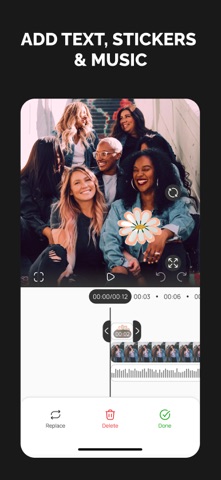
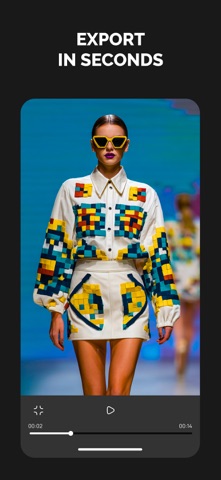
Create stunning videos in just a few taps with QuickMovie: Auto Video Editor — your intuitive movie maker for effortless editing and creativity. Whether you're putting together vacation memories or crafting short clips for social media, QuickMovie helps you turn photos and videos into professional-looking content with ease. Key Features: • Instant project creation: Just select your media, and QuickMovie automatically generates a project for you. • Smart timeline editing: Trim, split, rearrange, or replace clips. Customize transitions, adjust speed (0.1x to 5x), and layer elements on an intuitive timeline. • Add creative touches: Insert effects, text, stickers, filters, or music. Edit audio tracks individually, fine-tune volume, fade in/out, or mute video audio. • Flexible export options: Choose resolution (up to 4K), frame rate, and watermark settings. Export your final movie in just seconds and save or share instantly. • Fullscreen preview: Review your video in fullscreen mode with playback controls before exporting. • Project manager: View, rename, duplicate, delete, or share all your saved projects in one convenient list. QuickMovie also includes a dedicated section for AI-powered video generation — currently under development — and set to launch with exciting new features soon! Privacy Policy: https://docs.google.com/document/d/15OvfkEaxC4oua90kLx-x8C8ucOL08NbyfCrqa83s2IQ/edit?usp=sharing Term of Use: https://docs.google.com/document/d/1GY1GqeweTfdQmPTNfz-avLGoFQZi8EZX94ZrozIpbpw/edit?usp=sharing
What's new · 1.0.2
Optimized media import and export workflows
Details