

Strategic Fretboard
Taylor Irby · Music
Independent analytics for this App Store listing. AppTracker is not affiliated with Taylor Irby.
Chart standing · US
What changed · US
Listing changes AppTracker has observed for this app in this storefront — new versions, price moves, rating shifts, and store copy.
What’s New in Version 2.0 • Rebuilt natively in Swift for a faster, smoother experience • New automatic chromatic tuner—open it, play a note, and tune • Improved CAGED connections and alternate-tuning behavior • Expanded iPad support • Additional performance improvements and bug fixes
In-app purchases · US
No in-app purchases.
Screenshots

Similar apps
Competitors and close alternatives, as estimated by AppTracker.




About
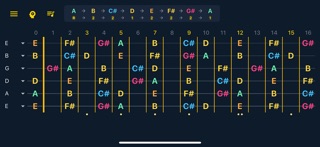
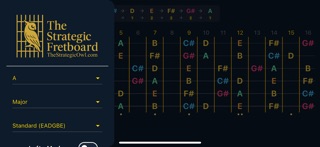
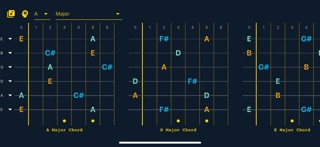
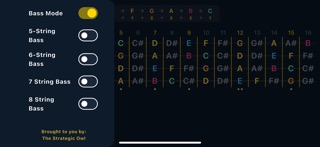
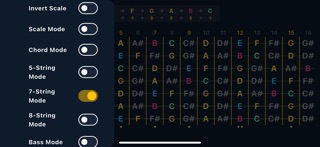
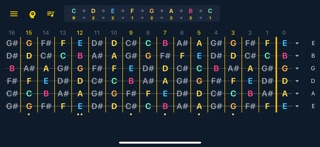
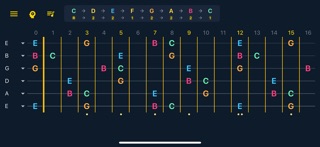
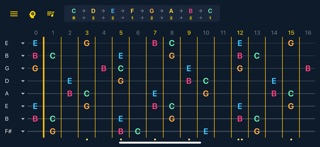
A visual map of the fretboard, built for players who think. Strategic Fretboard is not a game or a quiz. It is a tool for seeing the logic behind notes, scales, chords, and progressions directly on the neck. You control what appears, how it is arranged, and what you want to understand. Start with All Notes, then switch to Scale Mode to map scale tones across the fretboard. Use Invert Scale to reverse the interval direction and look at the neck from another angle. In Chord Mode, isolate the root, third, and fifth of a major or minor chord. On a six-string guitar in standard tuning, turn on CAGED Connections to trace the C, A, G, E, and D chord forms. Each colored path connects one movable shape, making it easier to see how the five forms repeat and overlap across the fretboard. Open Chord Flow to explore progressions that match your selected root and scale. Change instruments, choose from a wide range of tuning presets, or adjust each string yourself. Guitar layouts support 5, 6, 7, and 8 strings. Bass layouts support 4, 5, 6, 7, and 8 strings. Flip the entire fretboard with Lefty Mode. Set the app up your way, close it, and come back later. Your instrument, tuning, root note, scale, modes, and display choices are remembered. The menu is organized around three clear groups: Notes & Harmony, Strings & Tuning, and Orientation. Everything is close at hand without crowding the fretboard. Whether you are learning the neck, working through modal theory, experimenting with alternate tunings, or teaching someone else, Strategic Fretboard helps you think in real time. No noise. No distractions. No ads. No subscriptions. One-time purchase. Lifetime updates. FEATURES: • Interactive fretboard map for notes, scales, and chords • All Notes, Scale Mode, and Chord Mode • Interval color coding • Major and minor chord mapping with root, third, and fifth • CAGED Connections for six-string guitar in standard tuning • Invert Scale for reversing interval direction • Chord Flow progression explorer • Lefty Mode for a mirrored fretboard • Tuning presets plus individual string control • 5, 6, 7, and 8-string guitar layouts • 4, 5, 6, 7, and 8-string bass layouts • A saved setup that returns when you do • Clear, reorganized controls and on-screen guidance Think outside the box.
What's new · 2.0.0
What’s New in Version 2.0 • Rebuilt natively in Swift for a faster, smoother experience • New automatic chromatic tuner—open it, play a note, and tune • Improved CAGED connections and alternate-tuning behavior • Expanded iPad support • Additional performance improvements and bug fixes
Details