

Device Finder: Find My AirPods
JACOB COX · Utilities
Independent analytics for this App Store listing. AppTracker is not affiliated with JACOB COX.
Chart standing · US
In-app purchases · US
What this app sells inside itself, grouped by kind and priced for this storefront.
Screenshots

About
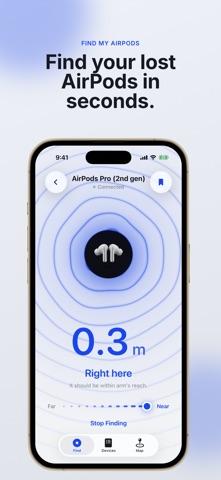
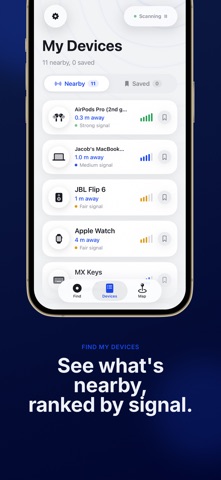
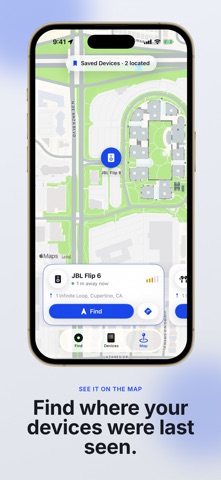
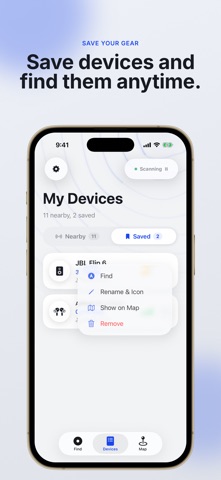
Device Finder is the most reliable way to locate your lost Bluetooth devices. Find your missing headphones, watch, tablet, and more in seconds. Powered by an advanced signal-processing engine, the app uses your phone's radio to track down any nearby Bluetooth device, from AirPods to speakers. (Subscription Required) ◆ **Real-Time Proximity Radar** • Watch the signal strength increase as you get closer to your lost item. • Visual and numeric indicators guide you directly to your device's location. • Sort the list by signal strength to focus on the nearest devices first. ◆ **Save & Manage Your Devices** • Save important items—headphones, keyboards, tablets—to a personal list. • Rename devices and assign custom icons for easy identification from a dedicated edit screen. • Access your essential gear instantly from the 'My Devices' screen. ◆ **Intelligent Device Detection** • Advanced scanning filters out junk signals for a clean, readable list. • Recognises thousands of products from major brands using an integrated device database. • Finds system-paired devices (like MacBooks or iPads) even when they aren't actively advertising. ◆ **Last Known Location Map** • Automatically records the last seen GPS location for your saved items on your device. • View your device's last known coordinates on a map (Apple Maps on iOS). • Get a quick address snippet right in your device list for easy reference. ◆ **Constantly Updated** Our device database and scanning algorithms are continuously updated to support the latest gadgets and accessories. ◆ **Perfect for** • Finding misplaced AirPods or other wireless earbuds. • Locating a lost tablet or stylus in your home. • Tracking down a misplaced remote or game controller. • Checking the last seen location of your laptop bag. **Subscription Details** Unlimited scanning and device tracking become available after subscribing. Choose a weekly or yearly plan—whichever fits your workflow. Payment is charged to your Apple ID at confirmation. Cancel anytime in Settings › Apple ID › Subscriptions. Prices may vary by region. **Privacy & Terms** Privacy Policy: https://appstore.devjmc.com/devicefinder/privacy Terms of Use: https://appstore.devjmc.com/devicefinder/terms **Support** Questions or feedback? Email support@devjmc.com and we’ll be happy to help. Stop searching and start finding. Download Device Finder today and get your lost items back
What's new · 1.1
• Faster, more accurate device identification • Refreshed app name and listing • Now available in Português, Español, Deutsch, Français, Bahasa Indonesia, and العربية
Details