

Interval Camera - Auto Capture
ryo muranaka · Photo & Video
Independent analytics for this App Store listing. AppTracker is not affiliated with ryo muranaka.
Chart standing · US
What changed · US
Listing changes AppTracker has observed for this app in this storefront — new versions, price moves, rating shifts, and store copy.
• Fixed a rare crash on first launch. • Stability improvements.
Ratings breakdown · US
The star breakdown behind this app's rating in this storefront.
In-app purchases · US
What this app sells inside itself, grouped by kind and priced for this storefront.
Screenshots


About
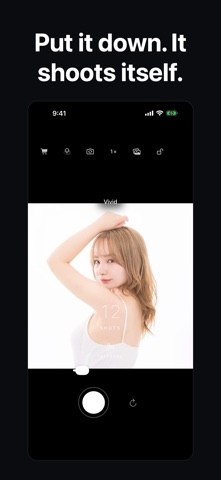
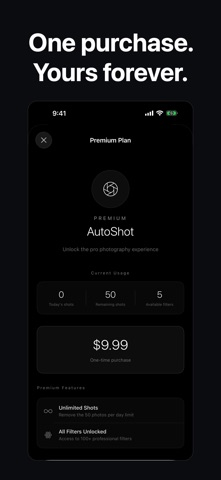
【Interval Camera - Auto Capture & Filter】is an innovative camera app that automatically takes photos at your set time intervals. ■ Main Features ・ Interval Auto Capture Automatic continuous shooting at intervals from 1 to 60 seconds. Countdown display ensures you never miss the timing. Perfect for model shoots, time-lapse recording, and fixed-point observation. ・ 524 Diverse Filters Equipped with 524 professional-grade filters including Clear Tone, Portrait Film, Milk Tea, Skin Glow, Muted Tone, Nostalgic, Cinema, Halation, Grain Film, and more. Preview filter effects in real-time while shooting. ・ Intuitive Operation ・Swipe left/right to switch filters ・Tap to adjust focus ・Switch between front/rear cameras ・Instant preview of captured thumbnails ■ Perfect For Self-portraits & Model Shoots Set up on a tripod and capture continuous shots while changing poses. Never miss the perfect shot. Growth Documentation Automatically record changes over time - your child's growth, pet moments, plant development. Fixed-point Observation Ideal for construction sites, sky changes, cityscapes - perfect for interval observation photography. Creative Projects Collect materials for time-lapse videos and art projects. Diverse filters expand your creative expression. ■ Free Features ・Up to 50 photos per day ・5 basic filters (Original, Clear Tone, Portrait Film, Milk Tea, Skin Glow) ・1-60 second interval settings ・Front/rear camera switching ・Focus adjustment ■ Premium Plan (One-time Purchase) ・Unlimited photos ・Access to all 524 filters ・Priority support ※Once purchased, use forever with no additional fees. ■ Other Features ・33 languages supported ・Haptic feedback enabled ・UI optimized for dark mode ・Photos automatically saved to camera roll ・Simple and beautiful interface Experience a new way of photography with Interval Camera.
What's new · 1.5.2
• Fixed a rare crash on first launch. • Stability improvements.
Details