
Chart standing · US
What changed · US
Listing changes AppTracker has observed for this app in this storefront — new versions, price moves, rating shifts, and store copy.
Fixed some known issues.
Price & rating history · US
Reconstructed from the listing changes AppTracker has observed in this storefront, so each line starts at the first change on record.
Average rating
Ratings breakdown · US
The star breakdown behind this app's rating in this storefront.
Screenshots





About
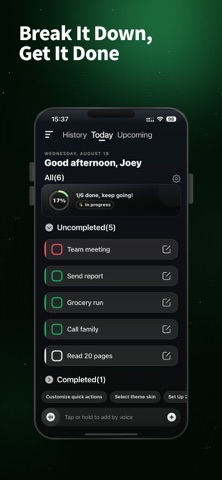
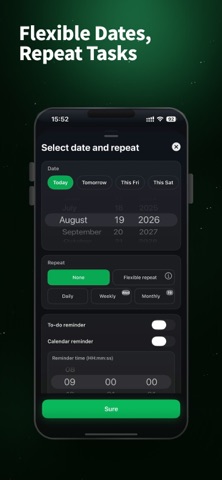
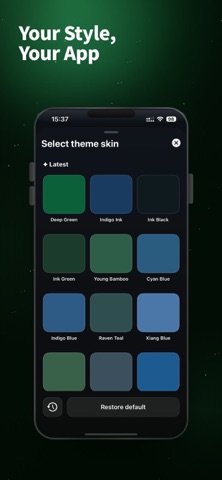
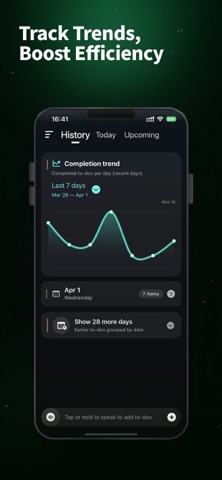
No need to unlock, to-do list is locked on the screen, no longer forgotten. LockToDo is a focused to-do list and daily planner built around today's tasks. It brings your checklist to the Lock Screen, Dynamic Island, Live Activities, and Home Screen widgets, so your priorities are visible the moment you wake your iPhone. Capture a task by typing or voice before the idea disappears. Break larger work into subtasks, set priorities and dates, create recurring reminders, and organize everything across Today, History, and Future. KEY FEATURES • View today's to-do list directly on the Lock Screen • Track daily progress with Live Activities and Dynamic Island • Check and complete tasks from Home Screen widgets • Add tasks quickly with voice input • Organize tasks into Today, History, and Future • Use subtasks, priorities, dates, categories, and recurring tasks • Automatically bring unfinished past tasks into Today • Review completion trends and recent productivity • Hide sensitive content with Lock Screen privacy mode • Personalize task cards with themes and visual styles • Back up and restore your data with iCloud • Refresh today's tasks using Shortcuts automation LockToDo is made for people who want a simple task manager, fewer steps to check reminders, and a clear view of what matters today. Use it for work plans, study lists, daily routines, personal goals, or quick notes and ideas. Keep important things where you can always see them. SUBSCRIPTION INFORMATION Plan and price: Subscription prices depend on the membership plan you choose. The amount shown in the app and on the App Store payment screen applies. Renewal: Payment will be charged to your Apple ID account within 24 hours before the end of the current subscription period. Subscriptions renew automatically unless canceled. Cancellation: Cancel at least 24 hours before the end of the current period. Open Settings, tap your name, choose Subscriptions, select the subscription, and follow the instructions. Privacy Policy: https://docs.qq.com/doc/DSVJYcnVyQkJ1YnVD Terms of Use: https://docs.qq.com/doc/DSVVBc0hNeUxFR3B6
What's new · 5.9.0
Fixed some known issues.
Details