

PDF Editor: Converter files
hrhelperg s.r.o. · Productivity
Independent analytics for this App Store listing. AppTracker is not affiliated with hrhelperg s.r.o.
Chart standing · US
What changed · US
Listing changes AppTracker has observed for this app in this storefront — new versions, price moves, rating shifts, and store copy.
Fixes and improvements: • After a successful purchase, Pro unlocks right away and the purchase screen closes on its own. • Better stability and performance.
Ratings breakdown · US
The star breakdown behind this app's rating in this storefront.
Screenshots




About
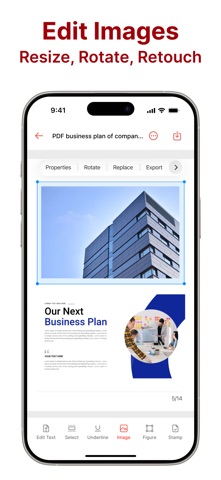
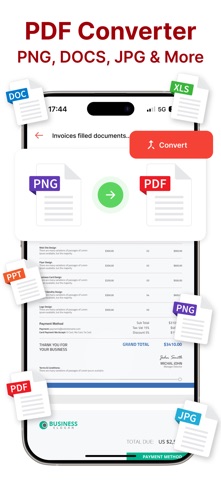
Scan paper to PDF, sign contracts with your real handwriting, convert files and organize every document in one app. PDF Editor turns your iPhone and iPad into a pocket office: from a quick receipt scan to a signed, password-protected agreement in a few taps. SIGN DOCUMENTS • Draw your signature with a pen, marker, fountain pen or pencil, and choose ink color and thickness • Or take a photo of your signature on paper and use it right away • Keep signatures and initials in your own library, and rename or redraw them anytime • Add the date and your name next to the signature • Move, resize, rotate and straighten every element, or place it on all pages at once • Save a signed copy and share it immediately SCAN AND RECOGNIZE TEXT • Document scanner with automatic edge detection and cropping • Dedicated modes for ID cards, passports and books • Scan to Text: recognize text on your device and copy it anywhere • Read QR codes and barcodes EDIT AND ANNOTATE • Add text with your choice of font size, color and style • Insert images, shapes and stamps, or draw freehand • Highlight, underline and strike through text, and leave sticky notes • Fill in PDF forms • Create a blank PDF or merge several PDFs into one CONVERT FILES • Photos and images to PDF, PDF pages to JPG or PNG • Word to PDF and PDF to Word • PowerPoint, EPUB and TXT to PDF • HEIC, WebP and RAW images to PNG, Excel to CSV Some conversions are processed online and need an internet connection. PDF TOOLS Split, compress, protect with a password, unlock, add a watermark, number pages, add headers and footers, edit metadata and print only the pages you need. MANAGE PAGES Reorder, rotate, duplicate, extract or delete pages, insert blank pages and undo any change. READ COMFORTABLY Search inside documents, add bookmarks, jump through the table of contents or to any page, switch to night mode and continue where you left off. STAY ORGANIZED Folders, tags, favorites, search and sorting keep your files in order. Open PDFs from the Files app or any other app, and add home screen widgets for one-tap scanning, signing, converting and your recent documents. Lock the app with Face ID. PDF EDITOR PRO Upgrade to Pro to unlock document signing, the page manager, advanced tools (split, compress, password protection, unlock, watermark, page numbers), ID, passport and book scan modes, the QR scanner, online file conversions, Face ID lock and saving annotations in the reader. Pro is an auto-renewing subscription. Payment is charged to your Apple ID at confirmation of purchase. The subscription renews automatically unless it is canceled at least 24 hours before the end of the current period. You can manage or cancel it in your App Store account settings. Privacy Policy: https://docs.google.com/document/d/16ca-D3QztY71iRZNz67LPvMY0btYako2KRkCORCE9-M/edit Terms of Use: https://docs.google.com/document/d/1769ie2DtbxBNRxnLQ6XSMzlTHvtHfAnMqxzMaLqc2yM/edit
What's new · 92
Fixes and improvements: • After a successful purchase, Pro unlocks right away and the purchase screen closes on its own. • Better stability and performance.
Details