

Project Lens
Project Lens, LLC · Business
Independent analytics for this App Store listing. AppTracker is not affiliated with Project Lens, LLC.
Chart standing · US
What changed · US
Listing changes AppTracker has observed for this app in this storefront — new versions, price moves, rating shifts, and store copy.
We've been busy on-site. Fresh coat of paint, tightened a few bolts.
Ratings breakdown · US
The star breakdown behind this app's rating in this storefront.
In-app purchases · US
What this app sells inside itself, grouped by kind and priced for this storefront.
Screenshots



About
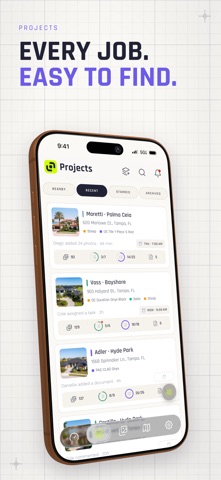
Every job. In focus. Project Lens helps contractors document jobs with photos and videos, track progress, and keep crews and clients informed. From the first estimate to the final walkthrough, keep the details of every job together. Your projects, photos, and updates stay organized and accessible on mobile and web, keeping the field and office on the same page. - Jobsite photos and videos: Capture work with the in-app camera and keep photos and videos organized by project. Document conditions, progress, and completed work with unlimited photo and video storage. - Photo markup: Add arrows, shapes, drawings, and text to jobsite photos. Point out damage, highlight an installation detail, or show your crew exactly what you mean. - Tasks and checklists: Assign work, follow project checklists, and track completion. See what's done and what still needs attention. - Activity history: See who did what and when. Follow photo uploads, task completions, comments, and project updates in one activity feed. - Project conversations: Keep questions, instructions, and follow-up attached to the job. Talk with your team from the field or the office, with comments on projects and individual photos. - Client updates: Share photo galleries and reports with customers to show progress, explain findings, and provide a clear record of completed work. - AI Rundowns: Talk through the job while taking photos. Turn your voice and photos into clear, structured job documentation with AI. Export a PDF to share with your team or clients. - Your schedule: Check upcoming appointments and scheduled work from your phone so you know where you're headed and what's next. - Documents and photo reports: Keep project files with the job and open documents in the field. Create photo reports on the web to bring your photos and job details together. - Estimates on the web: Prepare customer estimates in the web app and keep them connected to the project, alongside its photos, documents, and updates. Terms of Use: https://www.apple.com/legal/internet-services/itunes/dev/stdeula/ Privacy Policy: https://projectlens.io/privacy
What's new · 1.0.37
We've been busy on-site. Fresh coat of paint, tightened a few bolts.
Details