

SnapScanner+ PDF, Docs & Cards
Roxwin Vietnam Technologies Company Limited · Productivity
Independent analytics for this App Store listing. AppTracker is not affiliated with Roxwin Vietnam Technologies Company Limited.
Chart standing · US
What changed · US
Listing changes AppTracker has observed for this app in this storefront — new versions, price moves, rating shifts, and store copy.
Big update: SnapScanner is now a complete document workspace. • Edit every page: crop edges by hand, rotate, and choose Original, Enhanced, Grayscale or B&W • Extract text from any scan: select, copy and share it in one tap • Searchable PDFs: find and copy text right inside your exported PDFs • Search by content: find documents by the words written in them, not just by name • Folders: organize your documents and move them around easily • Markup & signatures: draw, highlight and sign pages, with signatures saved for reuse • Face ID lock: keep your documents private • Choose export quality to get smaller files or full resolution • Smarter photo import: regular photos keep their original shape • Faster, more reliable storage and many bug fixes
Price & rating history · US
Reconstructed from the listing changes AppTracker has observed in this storefront. A field is charted once it has changed more than once, and each line starts at the value it moved from.
Price · 1.99 USD now · 2 changes on record
In-app purchases · US
No in-app purchases.
Screenshots

About
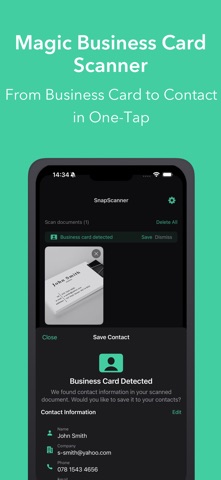
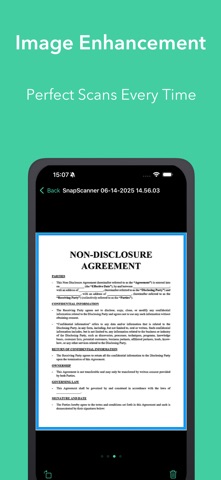
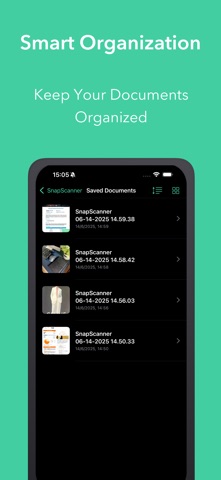
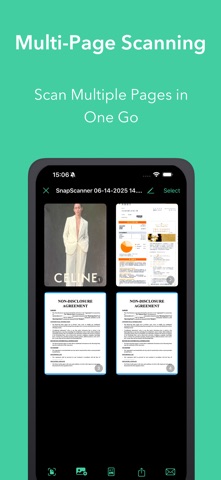
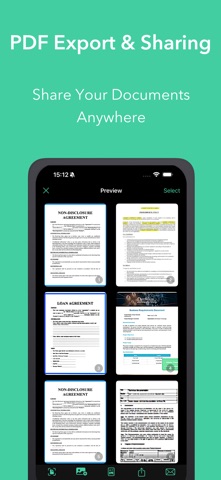
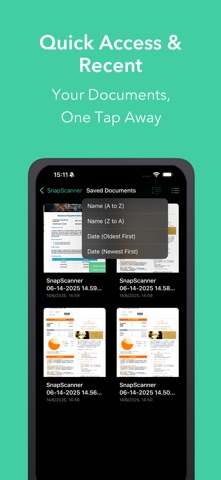
SnapScanner – Your AI-Powered Document & QR Scanner Turn your iPhone into a powerful scanner. SnapScanner captures crisp, professional-looking scans, reads the text on every page, and keeps all your documents organized, private and ready to share. KEY FEATURES: Smart Document Scanning • Automatic edge detection and perspective correction • Multi-page scanning in one session • Import photos from your library, and documents are detected and straightened automatically • Great for receipts, contracts, notes, forms, ID cards and more Edit Every Page • Crop edges by hand with precise corner handles • Filters: Original, Enhanced, Grayscale and Black & White • Apply a filter to one page or the whole document • Rotate and reorder pages with drag and drop • Non-destructive editing: re-crop or change filters anytime without losing quality Text Recognition (OCR) • Extract text from any scan, then select, copy and share it • Create searchable PDFs: find and copy text inside exported files • Search your documents by the words written in them, not just by name Markup & Signatures • Draw, write and highlight directly on pages • Create your signature once and sign documents in seconds • Saved signatures are ready to reuse anytime AI Business Card Scanner • Scan business cards and extract name, phone, email, company and more • Review and edit details before saving • Save to Contacts or share as a vCard QR & Barcode Tools • Scan QR codes and barcodes instantly, from the camera or a photo • Copy or share scanned content in one tap • History of scanned codes for quick access • Create your own QR codes with custom colors and logos Smart Organization • Folders to keep documents tidy • Move documents between folders easily • Sort by name or date, in grid or list view • Quick access to recent documents Export & Sharing • Export as PDF, images or one long image • Customizable PDFs: page size, orientation, margins, page numbers and background • Choose export quality for smaller files or full resolution • Password-protect your PDFs • Share via email, messaging apps, AirDrop or cloud storage Privacy & Security • Documents are stored on your device • Lock the app with Face ID, Touch ID or your passcode • PDF passwords are kept safely in the iOS Keychain Additional Features • Dark mode and light mode • Available in 16 languages • Regular updates and improvements Perfect for: • Students and educators • Business professionals and office workers • Freelancers signing contracts on the go • Home organization and personal paperwork Download SnapScanner today: scan, edit, sign and organize your documents, all in one place!
What's new · 2.2.8
Big update: SnapScanner is now a complete document workspace. • Edit every page: crop edges by hand, rotate, and choose Original, Enhanced, Grayscale or B&W • Extract text from any scan: select, copy and share it in one tap • Searchable PDFs: find and copy text right inside your exported PDFs • Search by content: find documents by the words written in them, not just by name • Folders: organize your documents and move them around easily • Markup & signatures: draw, highlight and sign pages, with signatures saved for reuse • Face ID lock: keep your documents private • Choose export quality to get smaller files or full resolution • Smarter photo import: regular photos keep their original shape • Faster, more reliable storage and many bug fixes
Details