

Timer on Me
Weiren Hsiao · Utilities
Independent analytics for this App Store listing. AppTracker is not affiliated with Weiren Hsiao.
Chart standing · US
What changed · US
Listing changes AppTracker has observed for this app in this storefront — new versions, price moves, rating shifts, and store copy.
Take a break with Pause All Alarms. Pause recurring and date alarms together while keeping your settings, then resume whenever you’re ready. See your next alarm at a glance, including its time, name, and countdown. Thanks for using Timer on Me!
Ratings breakdown · US
The star breakdown behind this app's rating in this storefront.
Screenshots



About
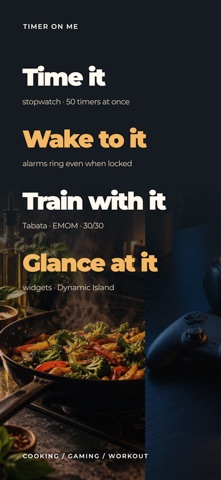
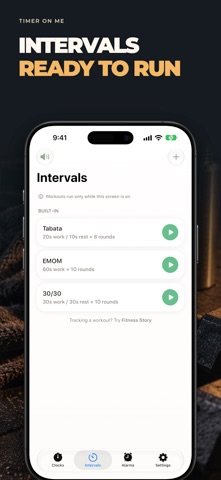
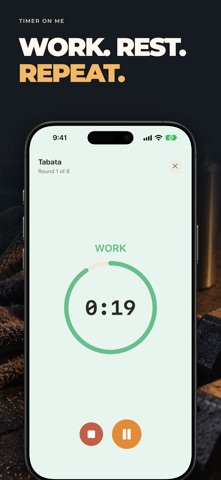
Timer on Me is the reliable multi-timer and stopwatch for iPhone, iPad, and Apple Watch. Run up to 50 independent timers at once, time interval workouts with precision, and trust that your alerts will fire — even if your phone is locked or the app is closed. ALARMS • Wake-up and reminder alarms with custom labels and weekday schedules • Powered by AlarmKit — rings even when iPhone is locked or Timer on Me is closed • Configurable snooze (3 / 5 / 9 / 15 / 30 minutes) or no snooze • Choose from bundled ringtones or import your own sounds • One-tap enable/disable from the dedicated Alarms tab WORKOUTS & INTERVALS • Built-in Tabata, EMOM, and 30/30 presets — start training in two taps • Custom interval editor with flexible minute/second pickers for work, rest, and rounds • Full-screen workout mode with phase color cues and optional sound mute • Pause, skip, and resume mid-workout without losing your place APPLE WATCH • Full native watchOS app — not a companion shell • Multiple concurrent stopwatches and timers on your wrist • Centisecond stopwatch precision • Dedicated watch complications for one-tap access • Works independently when your iPhone is out of reach 50 TIMERS AT ONCE • Run up to 50 independent timers and stopwatches in a single session • Start, stop, and reset individually or in synced groups • Auto-repeat for looping rounds • Timers continue past zero to track overtime • Visual progress bars with color cues at 50% (yellow) and 10% (red) • Drag-and-drop reordering and custom names RELIABLE ALERTS • AlarmKit: alarms ring even if iPhone is locked or Timer on Me is closed • Dynamic Island and Live Activity for glanceable progress • Home Screen widgets in Small, Medium, and Large sizes • Built-in ringtones including bells, birds, and vintage tones • Tap to preview ringtones instantly before selecting • "Keep Screen On" mode prevents dimming during long sessions CUSTOMIZE & SHARE • Toggle decimals, totals, and percentages per your workflow • Save and overwrite sessions for instant reuse • Export sessions as CSV, JSON, or Plain Text • Share timer setups with teammates, students, or clients BUILT FOR iPhone, iPad & APPLE WATCH • Adaptive layouts for all screen sizes • iPad Split View support • Available in 34 languages PERFECT FOR • HIIT, Tabata, CrossFit, and circuit training • Boxing rounds and martial arts sparring • Studying with Pomodoro and focus blocks • Cooking, baking, and multi-dish meal prep • Classroom activities and group timing • Yoga, meditation, and breathwork • Music practice and public speaking • Board games and party events Download Timer on Me and take full control of your time — at the gym, at work, or at home. Privacy Policy: https://masawata.net/privacy-policy.html Terms Of Service: https://www.apple.com/legal/internet-services/itunes/dev/stdeula/
What's new · 4.5
Take a break with Pause All Alarms. Pause recurring and date alarms together while keeping your settings, then resume whenever you’re ready. See your next alarm at a glance, including its time, name, and countdown. Thanks for using Timer on Me!
Details