

Limitly - Screen Time Control
O.D SUNTIME LTD · Productivity
Independent analytics for this App Store listing. AppTracker is not affiliated with O.D SUNTIME LTD.
Chart standing · US
What changed · US
Listing changes AppTracker has observed for this app in this storefront — new versions, price moves, rating shifts, and store copy.
Limitly now supports secure activation for eligible web purchases. We’ve also improved onboarding and purchase recovery.
Ratings breakdown · US
The star breakdown behind this app's rating in this storefront.
In-app purchases · US
What this app sells inside itself, grouped by kind and priced for this storefront.
Screenshots


About
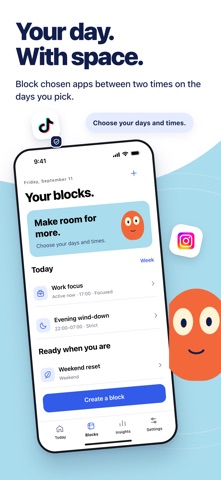
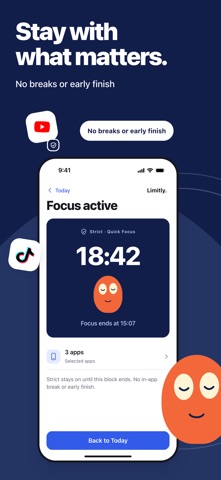
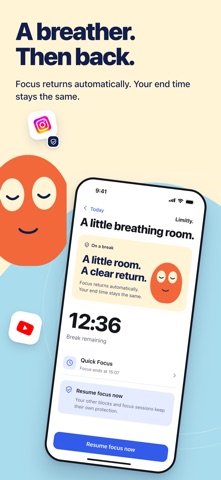
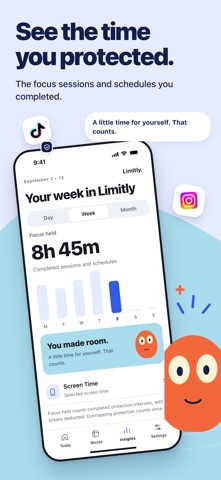
Make space for what matters to you. Limitly uses Screen Time to show your usage and hold the boundaries you choose. Quick Focus Choose a few apps and a time to put them aside. Scheduled block Block chosen apps between two times on the days you pick. Strict focus Strict stays on until this block ends. No in-app break or early finish. Focused One controlled 15-minute break in each interval. Focus returns automatically. Your end time stays the same. Focus history Completed focus sessions and schedule intervals count after deducting controlled breaks. Overlapping protection counts once. A running session joins history when it ends. Privacy App choices use Apple’s private picker. Usage stays inside Screen Time report views. Limitly does not read messages or what you do inside an app. Limitly Plus The free plan keeps one recurring schedule active. Plus removes that cap. Weekly subscriptions renew automatically unless cancelled at least 24 hours before the period ends. Lifetime is a one-time purchase with no renewal. Manage or cancel this subscription in the App Store at any time. Terms of use: https://docs.google.com/document/d/1SYZr96iyQMu66NGTmjLzYGduuXSLtscEBX1kGoMTx44/edit?usp=sharing Privacy policy: https://getlimitly.com/privacy/
What's new · 1.5
Limitly now supports secure activation for eligible web purchases. We’ve also improved onboarding and purchase recovery.
Details