

Drawing Projector: AR Draw Art
Turbofast Unlimited Super Internet Apps LLP · Graphics & Design
Independent analytics for this App Store listing. AppTracker is not affiliated with Turbofast Unlimited Super Internet Apps LLP.
Chart standing · US
What changed · US
Listing changes AppTracker has observed for this app in this storefront — new versions, price moves, rating shifts, and store copy.
• Introducing a fresh new design for a smoother & more creative experience • Discover anime, cartoon, portrait, and creative drawing templates • Turn your favorite photos into easy-to-trace sketches in just a few taps • Enjoy improved controls, smoother setup, and better overall usability • Create amazing sketches, drawings, and artwork using simple AR technology Update now and enjoy a brand-new drawing experience!
Price & rating history · US
Reconstructed from the listing changes AppTracker has observed in this storefront. A field is charted once it has changed more than once, and each line starts at the value it moved from.
Average rating · ★ 4.25 now · 2 changes on record
Ratings breakdown · US
The star breakdown behind this app's rating in this storefront.
In-app purchases · US
What this app sells inside itself, grouped by kind and priced for this storefront.
Screenshots

About
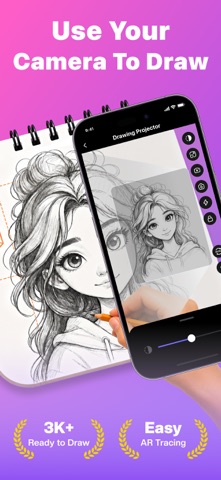
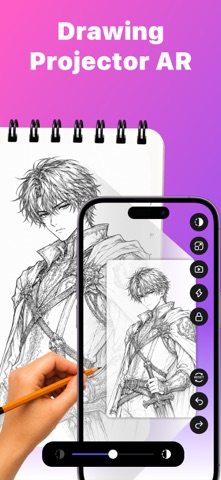
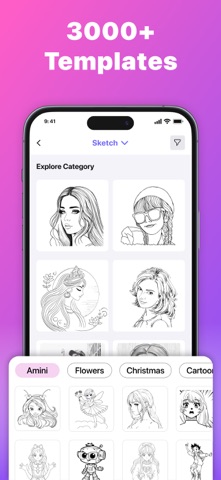
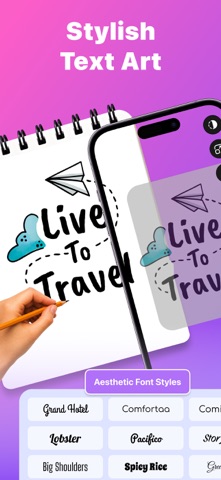
Drawing Projector: Trace, Draw Sketch helps you create amazing sketches and drawings by projecting images onto paper through your device’s camera. Now anyone can trace, sketch, and paint like a professional artist. ▹ How to Draw with AR Technology: 1. Select a photo or sketch from the app or your gallery 2. Place your phone on a clear glass surface or mobile stand 3. Position your paper underneath the projection 4. Trace the AR image directly on paper with perfect precision 5. Complete your sketch with colors or shading – no drawing skills needed ▹ Key Features: ▪ Drawing Projector & Tracing Technology Use augmented reality to project images directly onto paper. This advanced AR art projector makes drawing easier than ever. Ideal for anime, cartoon, and sketchar-style learning. ▪ Extensive Template Collection • Over 1000 free sketch templates • Anime and cartoon guides • Portrait and face sketch references • Animal and nature drawings • Art designs for every skill level ▪ Learn How to Draw with Drawing Projector • Step-by-step drawing lessons • Easy tutorials for beginners • Trace to build confidence and technique • Learn anime and cartoon drawing styles ▪ Transform Photos to Sketches • Convert any photo into traceable outlines • AI-powered drawing assistance • Adjustable line quality for smooth results • Turn personal photos into creative sketches ▪ Professional Drawing Tools • Adjustable transparency for accurate tracing • Built-in flashlight for low-light drawing • Record time-lapse videos of your sketches • Share your drawings instantly • Compatible with all surfaces ▪ Draw Anime & Cartoons • Anime sketch templates • Cartoon drawing guides for all ages • Character design tools • Easy anime art creation ▹ Why Users Love Drawing Projector • “I never thought I could draw until I used this” • “Great way to teach kids how to draw” • “The AR tracing changed everything” • “Helped me finally draw anime characters” • “Best Drawing Projector app I’ve tried” ▹ Perfect For: • Beginners learning to draw • Kids developing creativity • Students practicing sketching • Anime and cartoon fans • Professional artists • Teachers and instructors Creative Drawing Ideas: • Sketch your pets • Portraits of family and friends • Design anime characters • Draw nature and landscapes • Fashion sketches and designs • Comic book art • Greeting cards and logos Drawing Projector: Trace, Draw Sketch combines the best of sketch, tracing, and drawing tools in one simple app. Whether you want to sketch cartoons or create AR-driven art, it’s fast, fun, and beginner-friendly. Download Drawing Projector: Trace, Draw Sketch today and turn your phone into the ultimate creative tool. Terms of Service: https://turbofast.io/terms Privacy Policy: https://turbofast.io/privacy EULA: https://www.apple.com/legal/internet-services/itunes/dev/stdeula/ Trace, sketch, paint — unlock your creative potential today.
What's new · 1.0.3
• Introducing a fresh new design for a smoother & more creative experience • Discover anime, cartoon, portrait, and creative drawing templates • Turn your favorite photos into easy-to-trace sketches in just a few taps • Enjoy improved controls, smoother setup, and better overall usability • Create amazing sketches, drawings, and artwork using simple AR technology Update now and enjoy a brand-new drawing experience!
Details