

Gbyte Recovery: Photos & SMS
Gbyte Technology Co., Limited · Utilities
Independent analytics for this App Store listing. AppTracker is not affiliated with Gbyte Technology Co., Limited.
Chart standing · US
What changed · US
Listing changes AppTracker has observed for this app in this storefront — new versions, price moves, rating shifts, and store copy.
Improved user experience and fixed various issues.
Price & rating history · US
Reconstructed from the listing changes AppTracker has observed in this storefront. A field is charted once it has changed more than once, and each line starts at the value it moved from.
Average rating · ★ 4.22 now · 16 changes on record
Ratings breakdown · US
The star breakdown behind this app's rating in this storefront.
In-app purchases · US
What this app sells inside itself, grouped by kind and priced for this storefront.
Screenshots


About
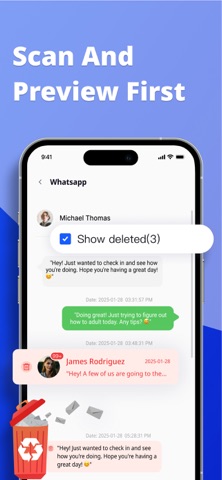
Meet Gbyte Recovery—the iCloud-smart way to do iOS data recovery. Whether you need to recover photos from iPhone, deleted video recovery, message recovery, or social app data recovery, Gbyte helps you safely restore deleted photos, texts, and more—without full device rollback. Why it works better iCloud-First Recovery: Tap into iCloud backups and synced content to surface recoverable items fast. Preview → Select → Restore: See results first; bring back only what you need. Privacy-First: Secure sign-in, no jailbreak, no risky device hacks. What you can recover Photo recovery & video recovery: Recover deleted photos and recover deleted videos from iCloud Photos or eligible backups. Need to recover deleted message? Gbyte makes it simple. Messages recovery: iMessage/SMS/MMS, including attachments when available. Social app data recovery: WhatsApp recovery, Instagram recovery, plus WeChat, LINE, Telegram, and Messenger—when included in iCloud backups or app sync. iPhone data recovery / iOS data recovery: Recover contacts, notes, calendars, files, and more. For comprehensive phone data recovery,Gbyte covers it all. How it works Choose iCloud Recovery to scan available backups and synced data. Sign in securely; let Gbyte surface recoverable items. Preview → Select → Restore—no full device reset required. Pro tips Start recovery ASAP; avoid creating new data until you finish restoring. If device data is overwritten, iCloud backup often offers the best path to restore. Terms of Use (EULA): https://www.apple.com/legal/internet-services/itunes/dev/stdeula/ Privacy Policy: https://www.gbyte.com/policy/privacy
What's new · 2.22.4
Improved user experience and fixed various issues.
Details