

Smart Printer: Scan Master Pro
hrhelperg s.r.o. · Business
Independent analytics for this App Store listing. AppTracker is not affiliated with hrhelperg s.r.o.
Chart standing · US
What changed · US
Listing changes AppTracker has observed for this app in this storefront — new versions, price moves, rating shifts, and store copy.
Price & rating history · US
Reconstructed from the listing changes AppTracker has observed in this storefront. A field is charted once it has changed more than once, and each line starts at the value it moved from.
Average rating · ★ 4.49 now · 3 changes on record
Ratings breakdown · US
The star breakdown behind this app's rating in this storefront.
In-app purchases · US
What this app sells inside itself, grouped by kind and priced for this storefront.
Screenshots




About
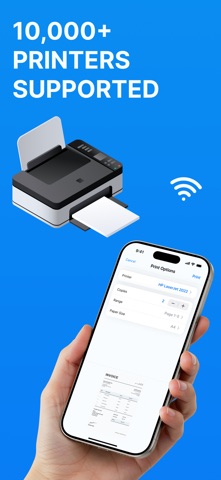
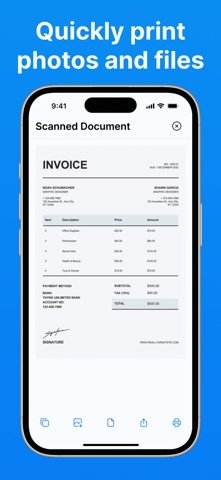
Introducing Printer Smart: Scan Documents Pro — a one-stop solution for printing and scanning directly from your iPhone. This powerful app turns your mobile device into a full-fledged office tool, allowing you to print, scan, and manage documents without the need for additional drivers or complex settings. Key Features: • Print any files With the Smart Printer App, you can easily print photos, documents, emails, web pages, and more. The app supports a wide range of formats, including PDF, DOC, XLS, PPT, JPG, PNG, and TXT. Import from DropBox, iCloud Drive. • Scan documents - Smart Scanner Use your camera to scan documents, ID, Passports, receipts, business cards, or notes. Scanned files can be edited, filtered, and saved in various formats. • Advanced print settings Customize print settings such as the number of copies, page orientation, paper size, and more. This ensures maximum flexibility and resource efficiency. • Printer compatibility The Smart Printer App supports over 10,000 wifi printer models. Thanks to AirPrint technology, printing is possible without the need to install additional drivers or software. Ease of Use Quick setup and seamless printer connection. PDF Preview Documents before printing. Ideal for: Home use: print photos, recipes, tickets, and other personal documents. Study: scan and print notes, essays, and presentations. Business: process invoices, contracts, reports, and other business documents. Download the Smart Printer App today and experience a new level of convenience in printing and scanning documents directly from your mobile device. Privacy Policy - https://docs.google.com/document/d/11yrh35mfkEWHd2DNptRYTzVXfI34FxhRDnSVHey1VUo/edit?usp=sharing Terms & Conditions - https://docs.google.com/document/d/11uY2wAqBkwhRYUXriLmHpgcxxF3phbGPeZec0nuFLNg/edit?usp=sharing
What's new · 7.4.2
This update includes performance enhancements and minor fixes
Details