

(Minimalist) Calculator - calc
YiDe Liu · Utilities
Independent analytics for this App Store listing. AppTracker is not affiliated with YiDe Liu.
Chart standing · US
What changed · US
Listing changes AppTracker has observed for this app in this storefront — new versions, price moves, rating shifts, and store copy.
- Fixed long calculations sometimes being cut off on the right while typing. - Drag the cursor to the edge of the screen to scroll through a long calculation.
In-app purchases · US
What this app sells inside itself, grouped by kind and priced for this storefront.
Screenshots




About
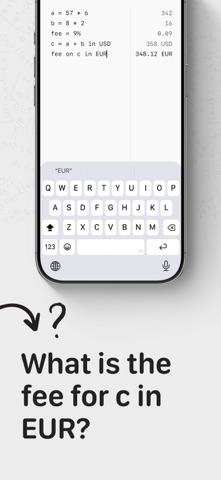
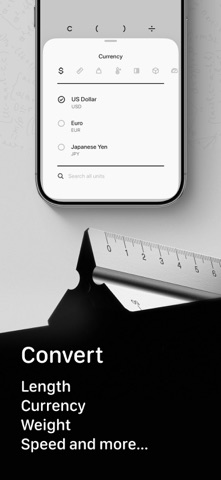
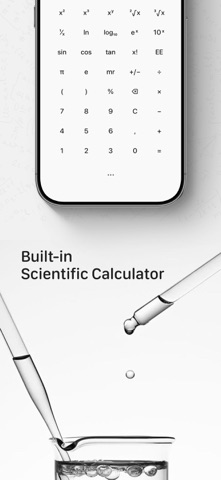
How many steps does it take to work out a bill? Open the calculator, get a number, write it down somewhere, come back, forget where you were. The notepad lets you write the whole thing as text — every line worked out as you type it: rent = 1200 utilities = 85 rent + utilities 1285 Name your values and reuse them. It reads plain English too: 20 ml in tsp 100 USD in EUR 20% off 80 Also good for - Travelling — convert as you go, the whole day's spending on one page - Cooking — cups, ounces, Fahrenheit, all converted in one place - Estimating materials — add up three walls, divide by coverage per tin - Quoting work — change one number, everything recalculates Three more calculators - Basic — large type, generous spacing, your working shown as you build it - Scientific — trigonometry, logarithms, powers and roots, 2nd key cycles four layers - Convert — 123 units across 15 categories, currency rates update automatically Things you can adjust - Number format — comma, period, space, apostrophe, or none - Decimal places — full precision, or fixed to a number you choose - Appearance — light, dark, true black, or follow the system - Startup page — pick which one opens when you launch the app - Haptics — tune the strength or switch it off Also inside - History, with notes you can attach - Control Centre button for one-tap access - Available in many languages, with unit names and keywords in each Built on minimalist principles Clean design, smooth interaction, no noise — only what actually matters. The Calculator is free to use. Convert and Notepad are Premium features. Terms of Use: https://www.minlsm.com/terms Privacy Policy: https://www.minlsm.com/privacy
What's new · 1.2.5
- Fixed long calculations sometimes being cut off on the right while typing. - Drag the cursor to the edge of the screen to scroll through a long calculation.
Details