

Bluetooth Scanner: BlueTrack
Ahmet Furkan Sevim · Utilities
Independent analytics for this App Store listing. AppTracker is not affiliated with Ahmet Furkan Sevim.
Chart standing · US
What changed · US
Listing changes AppTracker has observed for this app in this storefront — new versions, price moves, rating shifts, and store copy.
bug fixes
Ratings breakdown · US
The star breakdown behind this app's rating in this storefront.
In-app purchases · US
What this app sells inside itself, grouped by kind and priced for this storefront.
Screenshots



About
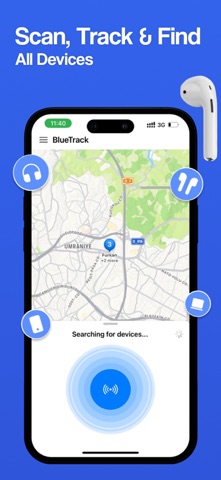
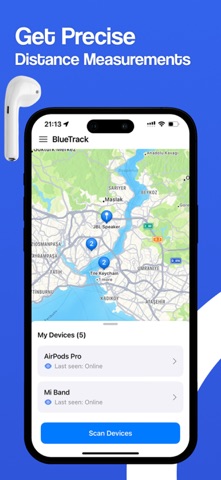
Easily Find Your Bluetooth Devices with BluTrack BluTrack helps you quickly locate your lost Bluetooth devices using real-time signal strength (RSSI). As you get closer, the signal gets stronger making it easy to track down wireless headphones, earbuds, speakers, smartwatches, phones, and more. How It Works: Open the BluTrack app. Select the device you want to find from the list. Walk around and watch the Distance Score increase as you approach. The radar and signal meter guide you right to your device. If you can’t find your Bluetooth device, simply launch BluTrack and start searching. The app will show you how close or far you are, so you can recover your device quickly. Works with All Bluetooth Devices: Wireless headphones & earbuds (AirPods, Beats, etc.) Bluetooth speakers Apple Watch and other smartwatches Fitness trackers Phones and tablets And more! Never lose your Bluetooth devices again find them fast with BluTrack! SUBSCRIPTION PLANS: BlueTrack offers 2 types of subscriptions to choose from 1. Week plan with 3-day trial period 2. Annual plan More Subscription Information: - Payment will be charged to your Apple ID account at confirmation of purchase. - Subscription automatically renews unless auto-renew is turned off at least 24 hours before the end of the current period. - Within 24-hours prior to the end of the current period, the account will be charged for the renewal of the subscription, indicating the cost of the renewal. - You can manage subscriptions and turn off auto-renewal after purchase by going to your App Store account settings. Privacy Policy https://www.ahmetfurkansevim.com/privacy-policy Terms of Use https://www.apple.com/legal/internet-services/itunes/
What's new · 1.3
bug fixes
Details