

Ping – Network Tools
Pankaj Gaikar · Utilities
Independent analytics for this App Store listing. AppTracker is not affiliated with Pankaj Gaikar.
Chart standing · US
What changed · US
Listing changes AppTracker has observed for this app in this storefront — new versions, price moves, rating shifts, and store copy.
• Tip to unlock Looks & Icons — tippers unlock packs when tip amount meets pack price • Returning tippers get a thank-you unlock screen instead of the cosmetics promo • Theme Fonts now apply live across Monitor (Service Pulse and related screens) without relaunching
Price & rating history · US
Reconstructed from the listing changes AppTracker has observed in this storefront. A field is charted once it has changed more than once, and each line starts at the value it moved from.
Average rating · ★ 4.78 now · 9 changes on record
Ratings breakdown · US
The star breakdown behind this app's rating in this storefront.
In-app purchases · US
What this app sells inside itself, grouped by kind and priced for this storefront.
Screenshots



About
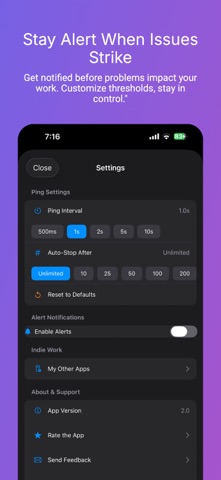
Ping Network Tools is an all-in-one network analyzer and ping test toolkit for iPhone. Run a fast connectivity check to any hostname or IP address, trace routes hop-by-hop, perform DNS lookups, scan open ports, check WHOIS records, calculate subnets, and monitor your connection in real time. No ads. No tracking. No data collection. Completely free. 7 NETWORK TOOLS IN ONE APP Ping goes far beyond a basic ping app — it’s a complete mobile network toolkit for Wi-Fi troubleshooting, LAN diagnostics, and server monitoring on the go. PING TEST & MONITOR • Ping test (ICMP) for any hostname or IP address (IPv4 + IPv6) • Live latency chart with last-point highlight and smooth visualization • Packet loss detection — instantly identify unstable connections • Smart alerts for latency spikes, packet loss thresholds, or connection drops • Advanced metrics — jitter, standard deviation, stability score, p50/p95/p99 percentiles • Quality grade (A+ to F) for instant connection health assessment • Insights like Stable, Spiking, or Degraded to explain results • Terminal-style console log with colored status indicators • Configurable interval, timeout, and count limit for precise ping tests SERVICE PULSE • At-a-glance reachability for popular services on the Monitor tab • Live latency with trend arrows and mini charts LOOKS & APP ICONS • Curated Looks — CRT, Windows 95, VHS, Arcade, and more • Alternate app icons to match your style • Optional Icon Pack, Theme Pack, or Bundle — network tools stay free NETWORK TOOLS • DNS Lookup — resolve A, AAAA, and reverse PTR records • Traceroute — hop-by-hop route tracing with per-hop latency and timeout detection • Port Scanner — TCP connect scan with common presets and custom ranges • WHOIS Lookup — domain registration, registrar, expiry, and name server info • Network Snapshot — find my IP address, public IP, DNS servers, network type, IPv6 status • Subnet Calculator — CIDR ranges, masks, broadcast, host count • Wake on LAN — send magic packets to power on devices remotely HISTORY & EXPORT • Auto-saved ping sessions with searchable history • Session detail with full chart replay and complete console log • Share connection quality summaries for faster troubleshooting BUILT FOR GAMERS & PROFESSIONALS • Gamers — monitor ping and latency before it costs you the match • Remote workers — diagnose Wi-Fi issues affecting VPN and video calls • IT & DevOps — server monitor for uptime, DNS propagation, port scanning • Network engineers — subnet calculations, WHOIS lookup, LAN utilities • Streamers & creators — detect packet loss and connection instability Download Ping Network Tools — your network scanner, ping monitor, and connectivity check in one app. MULTI-HOST PING & PRESET GROUPS Compare several hosts at once with multi-host ping: live Radar view, detailed packet Timeline, and side-by-side metrics. Organize favorites into groups and launch them together from the Favorites tab. • Curated preset groups ready to ping — Social, Streaming, Gaming, DNS, and Cloud & Work • Multipurpose host packs for different audiences; launch a whole group in one tap
What's new · 4.3.0
• Tip to unlock Looks & Icons — tippers unlock packs when tip amount meets pack price • Returning tippers get a thank-you unlock screen instead of the cosmetics promo • Theme Fonts now apply live across Monitor (Service Pulse and related screens) without relaunching
Details