

PDF Editor & PDF Maker
TS Technology · Education
Independent analytics for this App Store listing. AppTracker is not affiliated with TS Technology.
Chart standing · US
What changed · US
Listing changes AppTracker has observed for this app in this storefront — new versions, price moves, rating shifts, and store copy.
PDF Editor • OCR Text Extraction: Extract text from PDFs and images with high accuracy. • PDF Compression: Easily reduce file sizes for quick sharing. • UI & Paywall Upgrade: Fresh look with an updated paywall and smoother editing experience. • Bug fixes and general performance improvements.
Ratings breakdown · US
The star breakdown behind this app's rating in this storefront.
In-app purchases · US
What this app sells inside itself, grouped by kind and priced for this storefront.
Screenshots




About
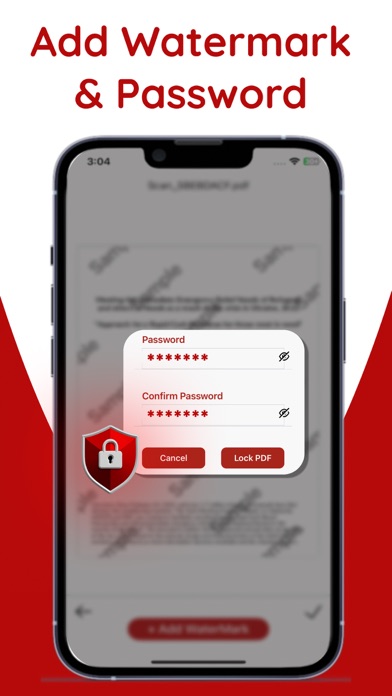
PDF Editor – Fast, Simple and Complete PDF Solution PDF Editor is a powerful all-in-one PDF filler that allows students, teachers, creative users and professionals to read, edit, sign, convert and fully organize their PDF files on iPhone or iPad. Simple Solutions for Every PDF Task using PDF Reader Add shapes and flowcharts to showcase your creative ideas. Make PDFs more visual and easier to understand by inserting images, links and graphics. Write notes directly inside PDFs and keep your thoughts organized. Sign and add watermarks to your professional documents or PDF files in just a few taps. Merge, split and rearrange PDF pages. Get a quick summary to understand your PDF with AI Chat. Effortlessly convert images and documents to PDF format. Keep your important files safe with password protection. Open PDF files quickly and get the best reading experience with smooth scrolling, zoom, search and easy navigation. Instantly save, export and share edited files Insert Photos, Shapes & Clickable Links You can easily add images to PDFs, insert clickable links wherever you want, and use various related shapes to highlight important areas. This PDF Filler makes your documents more clear, organized, and professional. E-Sign & Form Filling Fill out PDF forms directly on your device and sign documents with ease with your fingertips. With PDF Editor, handling contracts, invoices, agreements and other crucial documents is safe and simple. Easy Notes & Highlight Tools – Easily write notes and mark up with drawing tools – Highlight important text and mark key points in PDF reader – See all your notes in one place and keep them organized with a layout – Get more precision and better control with a stylus Note: Step 1: When you subscribe, the payment will be processed through your iTunes account immediately. The subscription will continue automatically unless you turn off auto-renew at least one day before it expires. Step 2: Your account will be charged for the next period up to 24 hours before the current subscription ends. The renewal fee will be the same as your original subscription. Step 3: You can manage or cancel your subscription at any time using the settings in your pdf editor App Store account. Please see our Terms of Service and Privacy Policy for full details. Terms of use: https://tstechnology.org/terms.html Privacy Policy: https://tstechnology.org/privacy.html
What's new · 1.8
PDF Editor • OCR Text Extraction: Extract text from PDFs and images with high accuracy. • PDF Compression: Easily reduce file sizes for quick sharing. • UI & Paywall Upgrade: Fresh look with an updated paywall and smoother editing experience. • Bug fixes and general performance improvements.
Details