

PDF Splitter - Split PDF
Muhammad Awais Younas · Productivity
Independent analytics for this App Store listing. AppTracker is not affiliated with Muhammad Awais Younas.
Chart standing · US
What changed · US
Listing changes AppTracker has observed for this app in this storefront — new versions, price moves, rating shifts, and store copy.
Price & rating history · US
Reconstructed from the listing changes AppTracker has observed in this storefront. A field is charted once it has changed more than once, and each line starts at the value it moved from.
Average rating · ★ 3.77 now · 5 changes on record
Ratings breakdown · US
The star breakdown behind this app's rating in this storefront.
In-app purchases · US
What this app sells inside itself, grouped by kind and priced for this storefront.
Screenshots


About
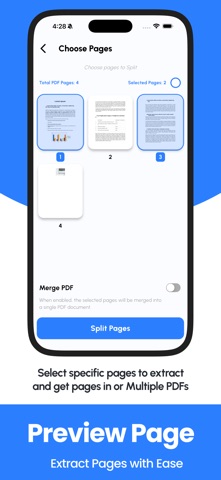
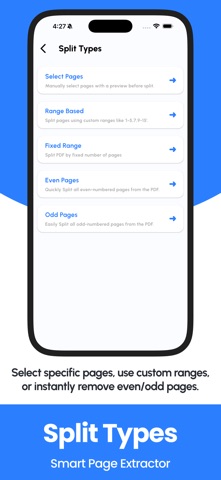
Split PDF files easily with PDF Splitter – Split PDF, the ultimate tool to break down your PDF documents into smaller, organized parts. Whether you want to extract specific pages, divide by custom ranges, split even or odd pages, or break a document into fixed chunks, this app gives you complete control over your PDFs. Designed with simplicity and power in mind, PDF Splitter is ideal for students, teachers, professionals, and anyone who handles PDF documents regularly. With support for all standard PDFs, this tool makes it easier than ever to manage large files. Main Features: Page Select Mode Manually enter page numbers like “1, 3, 5” to extract and split specific pages from any PDF document. Page Range Mode Split your PDF using custom ranges such as “1-5, 8-10” and create new documents with just the parts you need. Fixed Range Split Enter a fixed number (like 2 or 3), and the app automatically divides the file into equal parts. Example: a 10-page PDF with range “2” generates 5 files of 2 pages each. Even Page Split Extract only the even-numbered pages from a document (2, 4, 6...) Odd Page Split Extract only the odd-numbered pages (1, 3, 5...) Why Use PDF Splitter – Split PDF? Easy to Use: Simple and intuitive interface designed for all users. Fast Performance: Split large PDFs within seconds. 100% Offline: No internet connection needed. Your files stay on your device. Versatile Split Options: Choose from 5 powerful modes. Works with All PDFs: Compatible with scanned files, eBooks, work documents, and more. No Limits or Watermarks: Get full functionality without restrictions. Perfect For: Splitting large PDF eBooks or reports Extracting specific pages for printing Separating invoices, forms, or chapters Organizing school or office documents Saving only needed parts from a long PDF PDF Splitter – Split PDF is the only app you need to extract, divide, or manage your PDF documents. Forget complex software and online tools. This all-in-one PDF splitting tool works fully offline and keeps your files private and secure. Download now and unlock powerful PDF splitting right from your iPhone or iPad! Terms of Use: https://codifyappsprivacy.blogspot.com/p/terms-of-use.html
What's new · 1.2
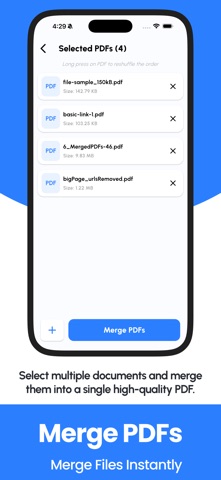
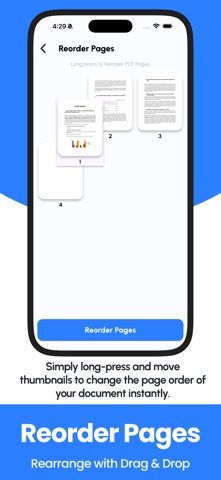
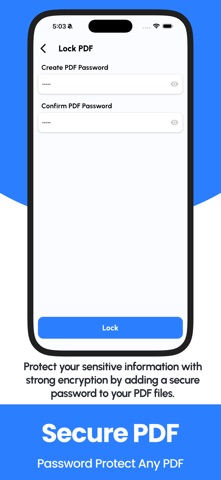
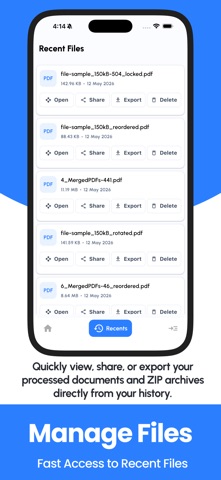
PDF TOOLS ADDITION PDF Merger & Joiner: Seamlessly combine multiple reports, invoices, or projects into a single professional file. Remove PDF Pages: Precisely remove specific pages in just a single click. Organize & Reorder: Use easy drag-and-drop to fix page sequences or Rotate scans for the perfect orientation. Advanced Security: Lock sensitive PDFs with password encryption or Unlock restricted documents for easier editing. Quick Management: Track your work with a dedicated "Recent Files" history tab to share, rename, or export instantly.
Details