

Cloud Calendars
ARTE SOFT EOOD · Productivity
Independent analytics for this App Store listing. AppTracker is not affiliated with ARTE SOFT EOOD.
Chart standing · US
What changed · US
Listing changes AppTracker has observed for this app in this storefront — new versions, price moves, rating shifts, and store copy.
• New interactive weather map with animated wind, wind speed and direction, and temperature layers. • Bug fixes and improvements for a smoother experience.
Price & rating history · US
Reconstructed from the listing changes AppTracker has observed in this storefront. A field is charted once it has changed more than once, and each line starts at the value it moved from.
Average rating · ★ 4.50 now · 5 changes on record
Screenshots


About
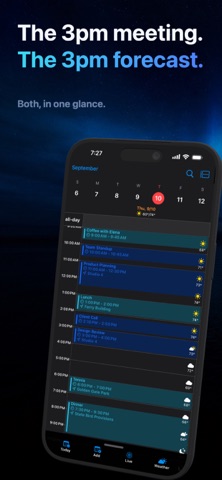
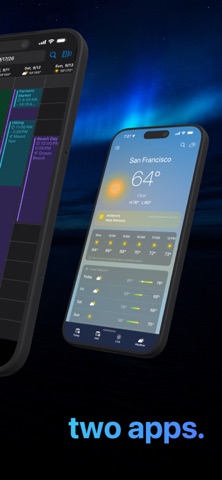
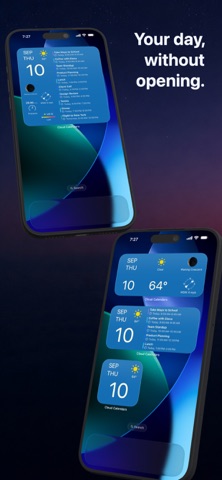
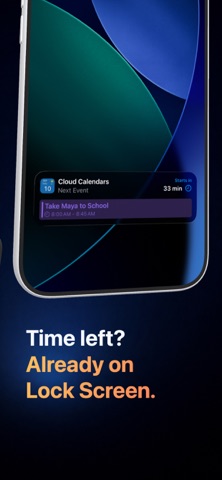
Plan Your Day with Calendar + Weather Together Cloud Calendars combines your calendars and weather into one beautifully organized planning experience. Manage iCloud, Google Calendar, and Microsoft calendars in a single app while seeing forecasts directly inside your schedule, widgets, and planning views. Stay ahead of meetings, travel, school pickups, outdoor activities, and busy days with calendar views designed for faster planning. HOME SCREEN WIDGETS Add beautiful widgets that combine: • Calendar events • Weather forecasts • Upcoming schedule • Moon phase and conditions • Wind and temperature • Daily agenda overview Choose from multiple widget styles to see your day directly from the Home Screen. WHY CLOUD CALENDARS • View iCloud, Google Calendar, and Microsoft calendars together • Plan with built-in weather forecasts • Use beautiful Home Screen widgets • Drag, move, and resize events naturally • Create Google Meet and Microsoft Teams links • Switch between Day, Week, Month, Year, and List views • Manage work and personal calendars in one place FEATURES All Your Calendars Together Connect and manage calendars from iCloud, Google Calendar, and Microsoft in one clean, color-coded experience. Weather Built Into Your Calendar See hourly and daily forecasts directly inside your planning workflow, including temperature, conditions, moon phase, wind, and weather icons. Calendar + Weather Widgets View your schedule and weather instantly from customizable Home Screen widgets. Multiple Calendar Views Choose Day, Week, Month, Year, or List view depending on how you plan your time. Easy Event Editing Tap, drag, and resize events directly on the calendar for fast and natural scheduling. Dedicated Weather View Explore detailed forecasts with hourly conditions and useful planning insights. Create Events from Forecasts Tap a forecast hour to instantly create a new event with the selected time. Built-In Meeting Links Quickly add Google Meet and Microsoft Teams links to events. PERFECT FOR • Work and personal calendar management • Weather-aware planning • Outdoor activities and travel • Busy schedules and family planning • Google Calendar and iCloud users • Microsoft calendar users Try Cloud Calendars and make every day easier to plan. SUBSCRIPTION INFORMATION Cloud Calendars offers auto-renewable subscriptions. Free Plan • Google Calendar sync • Multiple calendar views • Weather features • Widgets • Google Meet support Payment will be charged to your Apple ID account at confirmation of purchase. Subscriptions renew automatically unless canceled at least 24 hours before the end of the current period. Your account will be charged for renewal within 24 hours before the end of the current period. You can manage and cancel subscriptions in your App Store account settings. Privacy Policy: https://www.cloud-calendars.com/privacy-policy Terms of Use: https://www.apple.com/legal/internet-services/itunes/dev/stdeula/
What's new · 1.7.3
• New interactive weather map with animated wind, wind speed and direction, and temperature layers. • Bug fixes and improvements for a smoother experience.
Details