

Receiptr: Scan & Sort Receipts
Ed Rosie · Finance
Independent analytics for this App Store listing. AppTracker is not affiliated with Ed Rosie.
Chart standing · US
What changed · US
Listing changes AppTracker has observed for this app in this storefront — new versions, price moves, rating shifts, and store copy.
Receiptr 2.1 is a big update: • Start free: scan your first 15 receipts with no subscription • Smarter scanning: VAT and addresses read more accurately • iCloud sync turns on instantly when you upgrade • New Appearance setting: System, Light or Dark • Faster, smoother navigation and lots of fixes
Screenshots



About
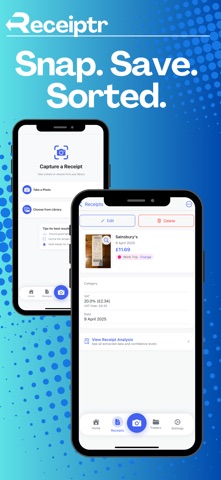
Receiptr – Your Receipts, Sorted. Receiptr turns receipt chaos into clarity. Snap or import a receipt and Receiptr reads the shop, total, date and VAT automatically, on your iPhone, not in the cloud. Start free with 15 receipts. Track your spending and gain insight into your expenses—all securely and privately, with on-device processing and iCloud sync. Key Features: • Smart scanning + photo import • Auto-extracts date, amount, and more • Organise with tags, folders & powerful search • Spending insights & export to PDF, CSV or images • Fully private, Face ID protected • Beautiful in Light and Dark Mode + Themes! Receiptr Premium: unlimited receipts, iCloud sync across devices and exports. Annual (with 1-week free trial) or monthly. Payment is charged to your Apple Account; subscriptions renew automatically unless cancelled at least 24 hours before the end of the period. Manage in App Store settings. Terms: https://www.edrosie.com/receiptr-terms · Privacy: https://www.edrosie.com/receiptr-privacy-policy-1
What's new · 2.1
Receiptr 2.1 is a big update: • Start free: scan your first 15 receipts with no subscription • Smarter scanning: VAT and addresses read more accurately • iCloud sync turns on instantly when you upgrade • New Appearance setting: System, Light or Dark • Faster, smoother navigation and lots of fixes
Details