

PDF Editor: Edit, Sign PDFs
Muhammad Qasim Wali · Business
Independent analytics for this App Store listing. AppTracker is not affiliated with Muhammad Qasim Wali.
Chart standing · US
What changed · US
Listing changes AppTracker has observed for this app in this storefront — new versions, price moves, rating shifts, and store copy.
Ratings breakdown · US
The star breakdown behind this app's rating in this storefront.
In-app purchases · US
What this app sells inside itself, grouped by kind and priced for this storefront.
Screenshots



About
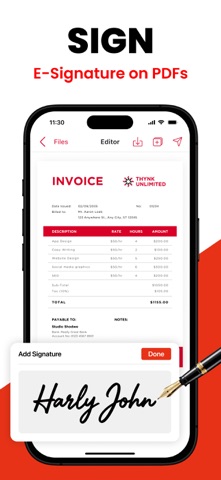
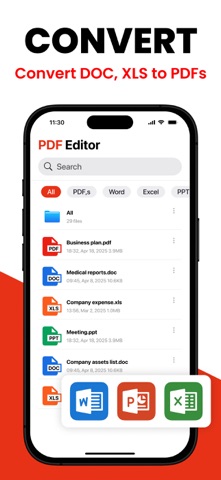
All-in-One PDF Editor & Converter – Scan, Edit, Merge & Secure! Need a powerful PDF editor, scanner, and converter in one app? Look no further! Our feature-rich PDF app makes it easy to scan, edit, merge, split, convert, fill forms, reorder pages, and secure your PDFs in just a few taps. Whether you’re managing documents, filling out forms, or creating professional PDFs, this app has everything you need! Key Features: - PDF Protection & Access – Secure PDFs with a password or unlock restricted files. - Cloud Sync (iCloud) – Easily access and save PDFs directly from iCloud. - Excel & PPT to PDF – Convert Excel sheets and PowerPoint slides into PDFs effortlessly. - Custom Watermark – Add personalized watermarks to protect your documents. - Scan to PDF – Turn paper documents into digital PDFs with high-quality scanning. - New PDF Creator – Create blank or customized PDFs for any purpose. - Form Builder & Designer – Design and create professional forms easily. - Form Sharing & Printing – Share or print completed forms with a single tap. - Fill & Submit Forms – Enter data into PDF forms quickly and efficiently. - Advanced PDF Editor – Modify text, add elements, and refine PDFs as needed. - PDF Splitter – Separate large PDFs into smaller, more manageable files. - PDF Merger – Combine multiple PDFs into one organized document. - Page Organizer – Reorder pages within a PDF for better structure. - PDF Print & Share – Print or share your PDFs directly from the app. - Page Remover – Delete unnecessary pages from PDFs instantly. - E-Signature Tool – Digitally sign documents with ease. - Insert Text Box – Add text boxes anywhere in your PDF. - Image Adder – Insert images into your PDF documents. - OCR Scanner (Image to Text) – Extract text from images using optical recognition. - Secure & Encrypt PDF – Ensure document safety with encryption features. - Photo to PDF Converter – Convert images into professional PDFs. - Text to PDF Creator – Convert plain text files into well-formatted PDFs. - File Converter (Pro Feature) – Convert various file formats to and from PDF. - Multi-Language Support – Use the app in multiple languages for global accessibility. Why Choose This PDF Editor App? Fast & Easy – Intuitive interface for effortless PDF management. High-Quality Output – Preserve document clarity and formatting. Secure & Private – Your documents stay safe with advanced encryption. Lightweight & Efficient – Optimized for smooth performance on all devices. Download Now & Simplify Your PDF Workflow! Whether you’re a student, professional, or business user, this PDF editor & scanner helps you manage documents like a pro. Scan, edit, convert, and secure PDFs in seconds. Try it now and enhance your productivity! Privacy Policy: https://sites.google.com/view/muhammadqasimwali/privacy-policy Terms and Conditions: https://sites.google.com/view/muhammadqasimwali/terms-of-use End-User License Agreement(EULA): https://sites.google.com/view/muhammadqasimwali/eula
What's new · 2.4
- Improved performance - Minor Bug Fixes
Details