

Focus Pocus – ADHD Companion
Kaila Consulting Inc · Productivity
Independent analytics for this App Store listing. AppTracker is not affiliated with Kaila Consulting Inc.
Chart standing · US
Ratings breakdown · US
The star breakdown behind this app's rating in this storefront.
In-app purchases · US
No in-app purchases.
Screenshots



About
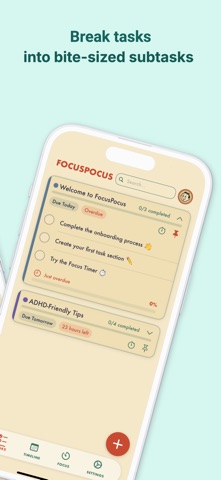
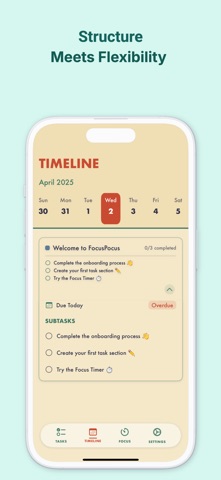
FocusPocus is a task manager designed for ADHD brains – built to reduce overwhelm, build consistency, and actually get things done. TASK MANAGEMENT • Create tasks with subtasks, color coding, due dates & times, and notes • Pin important tasks to the top • Add tags and categories to organize your life • Set recurring tasks — daily, weekdays, weekly, biweekly, or monthly • Save task templates for routines you repeat often • Sort tasks by due date, progress, color, estimated time, or alphabetically • Filter by All, Today, Upcoming, or Completed • Filter by tags for quick compartmentalization • Undo accidental deletions with a quick tap FOCUS TIMER • Built-in Pomodoro timer with customizable work and break intervals • Track estimated vs. actual time per task • Time tracking right from the task card INSIGHTS & STATISTICS • Timeline view to see your tasks on a calendar • Statistics dashboard: streak count, weekly/monthly completions, estimation accuracy, focus sessions, and a 7-day bar chart • Streak tracker to build consistency — see your consecutive productive days ADHD-FIRST DESIGN • Personalized onboarding that adapts to your ADHD profile • Clean, distraction-free interface with warm retro aesthetics • Subtle haptic feedback throughout (with option to disable) • Task notes field to dump thoughts before you forget them • Drag-and-drop subtask reordering for reprioritizing on the fly • Subtask-level due dates for pacing longer projects SIRI & SHORTCUTS • "Hey Siri, add a task to FocusPocus" • "Hey Siri, what are my tasks today?" • iOS Focus Modes integration CUSTOMIZATION • 3 theme options: Retro, Modern Minimal, and Dark Neon • Celebration styles: Confetti, Fireworks, Screen Flash, or None • Export tasks as text or PDF for therapy sessions, reviews, or sharing SYNC & SECURITY • iCloud sync across all your Apple devices • Face ID / Touch ID lock • Smart notifications with quick-add action right from the notification FocusPocus is free to use with no ads. Built with care for brains that work differently.
What's new · 2.0
NEW IN THIS UPDATE: RECURRING TASKS Set tasks to repeat daily, on weekdays, weekly, biweekly, or monthly. Build routines that stick. SIRI SHORTCUTS Add tasks and check today's list with your voice — no need to open the app. INSIGHTS TAB The Timeline tab is now Insights — with a new Statistics dashboard showing streaks, completion rates, estimation accuracy, and focus session trends. TASK TEMPLATES Save any task as a reusable template. One tap to recreate your morning routine, weekly review, or any workflow. TAGS & FILTERING Tag tasks with categories like Work, Personal, or Health. Filter by tag to focus on what matters now. TASK NOTES Add context, links, or brain dumps to any task with the new notes field. SUBTASK IMPROVEMENTS • Drag-and-drop reordering • Individual subtask due dates • Set specific times on due dates, not just dates SORTING OPTIONS Sort tasks by due date, progress, color, estimated time, or alphabetically. UNDO DELETE Accidentally delete a task? Tap Undo to bring it back instantly. THEMES Three new looks: Retro (classic), Modern Minimal, and Dark Neon. Switch anytime in Settings. CELEBRATIONS Choose your completion animation: Confetti, Fireworks, Screen Flash, or turn them off. EXPORT & SHARE Export your task list as text or PDF. ONBOARDING REPLAY Redo the onboarding anytime from Settings. RELIABILITY • Fixed task completion and pin toggling issues • Smoother animations and faster UI updates • Improved iCloud sync stability
Details