

eSign Fill & Sign PDF Document
Zintex OU · Utilities
Independent analytics for this App Store listing. AppTracker is not affiliated with Zintex OU.
Chart standing · US
What changed · US
Listing changes AppTracker has observed for this app in this storefront — new versions, price moves, rating shifts, and store copy.
• Request signature: send a document as a link — the other person signs in any browser, no app needed, and the signed PDF comes back to you. • iCloud sync: your saved signatures, stamps and watermarks now follow you to your other devices. • Now in Japanese, Korean, Chinese (Simplified), Turkish, Dutch, Portuguese (Brazil) and Spanish (Mexico). • Restore purchases right from Settings. • Bug fixes and improvements.
Price & rating history · US
Reconstructed from the listing changes AppTracker has observed in this storefront. A field is charted once it has changed more than once, and each line starts at the value it moved from.
Average rating · ★ 4.39 now · 3 changes on record
Ratings breakdown · US
The star breakdown behind this app's rating in this storefront.
In-app purchases · US
What this app sells inside itself, grouped by kind and priced for this storefront.
Screenshots




About
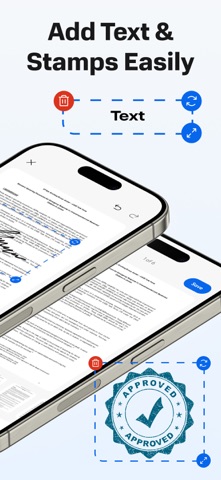
eSign PDF: Fill & Sign Documents Sign documents, fill out forms, and create professional electronic signatures in seconds. Whether you need to sign a PDF, a contract, or a lease agreement, our powerful eSignature tool turns your phone into a complete digital office. Stop printing, scanning, and mailing. Join thousands of professionals who trust eSign for legally binding signatures on the go. Key Features for Professionals: Professional Signature Maker: Draw your signature with your finger or type your initials. Create a reusable e-signature for any document type. PDF Editor & Form Filler: Easily fill out PDF forms, add text to documents, and complete applications without a printer. Effortless Import & Scan: Import files directly from email, iCloud, Google Drive, or Dropbox. Use your camera to scan physical papers into digital PDFs. Legally Binding & Secure: Manage your contracts, NDAs, and waivers with confidence. Perfect for real estate, legal, and business use. Fast Sharing: Send signed documents via email, WhatsApp, or Slack instantly. Why Choose eSign? Works with all document formats: PDF, Word, Images, and more. Secure cloud storage for all your signed files. No more expensive desktop software - everything you need is in your pocket. Privacy Policy: https://telegra.ph/Privacy-Policy-04-08-77 Terms Of Use: https://telegra.ph/Terms-of-Use-04-08-2
What's new · 1.1
• Request signature: send a document as a link — the other person signs in any browser, no app needed, and the signed PDF comes back to you. • iCloud sync: your saved signatures, stamps and watermarks now follow you to your other devices. • Now in Japanese, Korean, Chinese (Simplified), Turkish, Dutch, Portuguese (Brazil) and Spanish (Mexico). • Restore purchases right from Settings. • Bug fixes and improvements.
Details