

Interior Design AI - Home AI
Magic Unicorn INC · Graphics & Design
Independent analytics for this App Store listing. AppTracker is not affiliated with Magic Unicorn INC.
Chart standing · US
What changed · US
Listing changes AppTracker has observed for this app in this storefront — new versions, price moves, rating shifts, and store copy.
Bug fixes and performance improvements.
Ratings breakdown · US
The star breakdown behind this app's rating in this storefront.
Screenshots



About
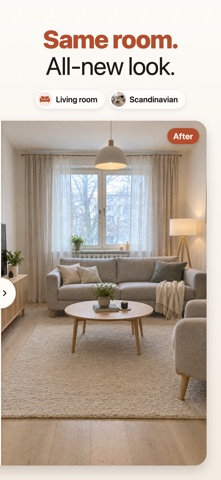
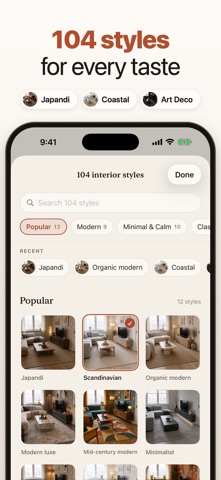
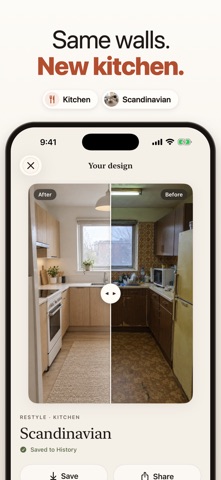
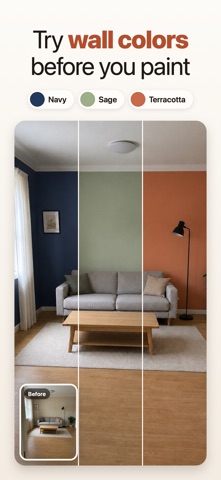
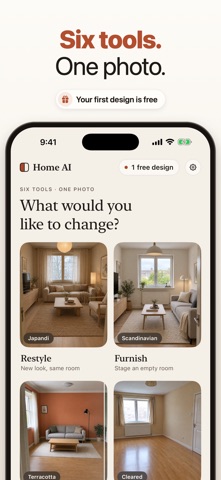
Home AI is your AI interior designer. Take a photo of any room, choose a style, and see that exact room redesigned in about a minute, with the same walls, the same windows and the same layout. No measuring, no 3D modelling, no design skills. Just your room, reimagined. YOUR FIRST DESIGN IS FREE Try it on your own room before you decide anything. SIX AI DESIGN TOOLS • Restyle: redesign a living room, bedroom, kitchen, bathroom, home office or any other room in the interior design style you pick • Furnish: virtual staging for an empty room, with furniture and decor that fit the space • Paint: try a new wall colour and leave everything else untouched • Declutter: clear the room to see the space itself • Exterior: give your house a new facade • Garden: landscape design ideas for your front yard or backyard 100+ INTERIOR DESIGN STYLES Modern, Scandinavian, Japandi, Minimalist, Mid-century modern, Industrial, Coastal, Bohemian, Farmhouse, Art Deco, Mediterranean, Wabi-sabi, Organic modern and many more. Browse by category, search by name, and come back to your recent favourites. IT STAYS YOUR ROOM Home AI is built to keep the architecture in your photo: walls, windows, doors and proportions stay where they are, so the before and after line up. Drag the before/after slider to compare, then save or share your design. MADE FOR REAL PROJECTS • Planning a room makeover, a remodel or a renovation • Choosing paint colours before you buy a single tin • Home staging for a sale, a rental or a listing • Furnishing a new home or an empty apartment • Collecting home decor and redecorating ideas you can actually picture SIMPLE AND FAIR • No account or sign-up • No watermark on your designs • A design that fails is never counted • Every design is saved to your history, on your device • Tips for taking a photo that gives the best result PLANS After your free design, pick a plan: Weekly (40 designs a week), Monthly (100 designs a month) or Yearly (40 designs a month). One design is one generated image. Unused designs do not roll over. Subscriptions renew automatically. Payment is charged to your Apple Account at confirmation of purchase, and the subscription renews unless it is cancelled at least 24 hours before the end of the current period. You can manage or cancel it in your Apple Account settings. PRIVACY Your photo is sent to our server and our AI processing partner only to create your design, and only after you agree. Uploads are deleted after processing. Home AI creates design concepts. Results are illustrations, not architectural or structural advice. Terms of Use: https://magicunicorninc.com/roomwise/terms.html Privacy Policy: https://magicunicorninc.com/roomwise/privacy.html
What's new · 2.1
Bug fixes and performance improvements.
Details