

Export Contacts to CSV & Excel
Ertugrul Sari · Utilities
Independent analytics for this App Store listing. AppTracker is not affiliated with Ertugrul Sari.
Chart standing · US
What changed · US
Listing changes AppTracker has observed for this app in this storefront — new versions, price moves, rating shifts, and store copy.
Export Contacts has a new look, with bigger, easier taps throughout. Exports are faster and more reliable, and every language got a fresh translation pass.
Ratings breakdown · US
The star breakdown behind this app's rating in this storefront.
In-app purchases · US
What this app sells inside itself, grouped by kind and priced for this storefront.
Screenshots





About
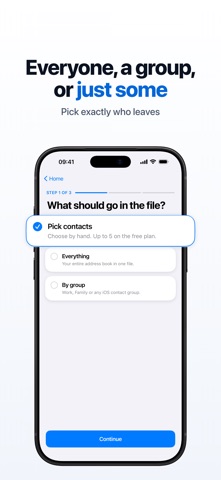
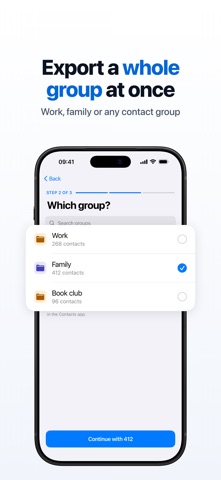
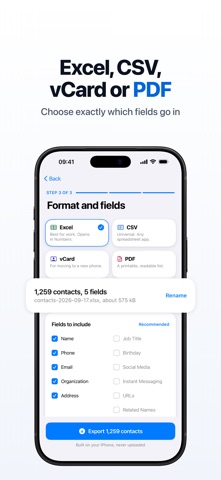
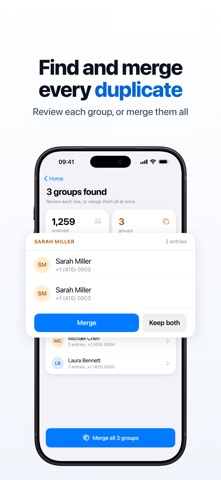
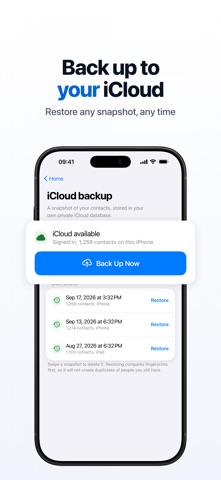
Your iPhone contacts are too important to lose. Whether you are switching phones, cleaning up duplicates, or sharing your address book with a colleague, this app gets it done in seconds. EXPORT TO ANY FORMAT - CSV, import into Google Contacts, Outlook, or any spreadsheet - Excel (.xlsx), open directly in Microsoft Excel or Google Sheets - vCard (.vcf), the standard format for phone-to-phone transfers - PDF, a clean printable contact list BACKUP AND RESTORE Back up your entire address book with one tap. Every backup is stored with a date and device label so you can restore any version instantly. Never lose a contact again. IMPORT CONTACTS Have a CSV or Excel file? Import it directly to your iPhone contacts. Great for switching from Android, adding a batch of business contacts, or restoring from a spreadsheet. REMOVE DUPLICATES Scans your address book and surfaces duplicate entries. Review and remove them before your next export so your file is clean from the start. STAYS ON YOUR DEVICE Everything runs on your device. No account required, no server upload. Your contacts never leave your phone without your permission. FULL CONTROL OVER WHAT YOU EXPORT Choose all contacts, a specific group, or hand-picked entries. Customise which fields to include: names, phone numbers, emails, addresses, notes and more. Preview before you export. HOW TO USE 1. Open the app and allow contact access 2. Choose contacts: all, by group, or individual 3. Pick your format: CSV, Excel (.xlsx), vCard or PDF 4. Customise your fields if needed 5. Export, save, or share in seconds Don't risk losing your contacts. Download free and back up your address book today. Free to download. Some features require a premium purchase. Privacy Policy: https://ios.estifie.com/exportcontacts/privacy-policy Terms of Use: https://ios.estifie.com/exportcontacts/terms-of-use
What's new · 2.0.0
Export Contacts has a new look, with bigger, easier taps throughout. Exports are faster and more reliable, and every language got a fresh translation pass.
Details