

PDF Editor Expert: Fill & Sign
PixelRis Inc. · Business
Independent analytics for this App Store listing. AppTracker is not affiliated with PixelRis Inc.
Chart standing · US
What changed · US
Listing changes AppTracker has observed for this app in this storefront — new versions, price moves, rating shifts, and store copy.
Price & rating history · US
Reconstructed from the listing changes AppTracker has observed in this storefront. A field is charted once it has changed more than once, and each line starts at the value it moved from.
Average rating · ★ 4.70 now · 2 changes on record
Ratings breakdown · US
The star breakdown behind this app's rating in this storefront.
Screenshots



About
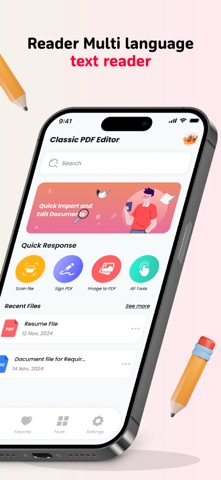
Edit, Sign, Draw, Annotate and Manage Your PDFs on the Go with PDF Editor Easily edit, sign, and manage your documents anytime, anywhere with PDF Editor. Whether you're reading, annotating, scanning, or converting files, this app makes handling PDFs effortless. ▶ WHAT YOU CAN DO WITH PDF EDITOR Enjoy a Seamless Reading Experience • Switch between Day, Night, or Sepia mode for comfortable reading in any lighting condition. • Choose vertical or horizontal scrolling for a flexible reading experience. • Open PDFs directly from email, the web, or any app that supports the Apple Share menu. Scan Documents to PDF • Transform your camera into a powerful document scanner. • Automatically detect document edges and apply perspective correction. • Enhance scans with color adjustments and auto-crop tools for the best results. Fill Out and Sign Forms • Fill in interactive text fields, checkboxes, and radio buttons effortlessly. • Supports all major form formats, including AcroForms and static XFA forms. Highlight and Annotate PDFs • Mark important content using highlight colors, text notes, or stickers. • Add stamps like "Approved," "Confidential," and more. • Record voice notes and attach them to documents for easy reference. Convert Files to PDF with Ease Convert various file types into PDFs in just a few taps: • Word Documents → PDF • Excel Spreadsheets → PDF • PowerPoint Presentations → PDF • Images (JPG, PNG) → PDF • Plain Text (TXT) → PDF Merge, Edit, and Organize PDFs • Rotate, reorder, and delete pages in your PDF. • Merge multiple PDFs into a single file. • Preview and rearrange pages using an intuitive thumbnail view. With PDF Editor, handling PDFs has never been easier. Scan, annotate, convert, and manage your documents—all in one powerful app! Read more about our terms and conditions here: https://sites.google.com/view/pdf-editor-lite-privacy-policy/home https://sites.google.com/view/pdfeditorlitetermsofuse/home
What's new · 2.5
Improvement and bug fixes..
Details