

PDF AutoScroll
Paran · Productivity
Independent analytics for this App Store listing. AppTracker is not affiliated with Paran.
Chart standing · US
What changed · US
Listing changes AppTracker has observed for this app in this storefront — new versions, price moves, rating shifts, and store copy.
All listed features are included with your app purchase. No additional purchase or subscription is required.
Price & rating history · US
Reconstructed from the listing changes AppTracker has observed in this storefront. A field is charted once it has changed more than once, and each line starts at the value it moved from.
Price · 4.99 USD now · 2 changes on record
Average rating · ★ 4.29 now · 2 changes on record
Ratings breakdown · US
The star breakdown behind this app's rating in this storefront.
In-app purchases · US
What this app sells inside itself, grouped by kind and priced for this storefront.
Screenshots


Keywords this app targets
Search terms AppTracker associates with this app — estimates, not search volume. ❝ = in the app's title; a highlighted number is its current position for that term.
Similar apps
Competitors and close alternatives, as estimated by AppTracker.
 PDF Reader Auto Scroll
Abdulkarim Nasir
PDF Reader Auto Scroll
Abdulkarim Nasir
 AutoScrollingReader
Ion VARANITA
AutoScrollingReader
Ion VARANITA
 PDF Reader & PDF Editor
ABISHKKING LIMITED.
3 shared topics · 1 shared title word
PDF Reader & PDF Editor
ABISHKKING LIMITED.
3 shared topics · 1 shared title word
 PDF Reader Pro - Sign,Edit PDF
PDF Technologies, Inc.
2 shared topics · 1 shared title word
PDF Reader Pro - Sign,Edit PDF
PDF Technologies, Inc.
2 shared topics · 1 shared title word
 PDF Reader Pro: Scan & Convert
thuy nguyen thi thu
2 shared topics · 1 shared title word
PDF Reader Pro: Scan & Convert
thuy nguyen thi thu
2 shared topics · 1 shared title word
 Speed Reader: Articles & PDF
Ethisham Niazi
2 shared topics · 1 shared title word
Speed Reader: Articles & PDF
Ethisham Niazi
2 shared topics · 1 shared title word
 Speed Reader!
Arthur de Rijke
1 shared topic
Speed Reader!
Arthur de Rijke
1 shared topic
 PDF Reader Pro Edition®
iTECH DEVELOPMENT SYSTEMS INC.
2 shared topics · 1 shared title word
PDF Reader Pro Edition®
iTECH DEVELOPMENT SYSTEMS INC.
2 shared topics · 1 shared title word
About
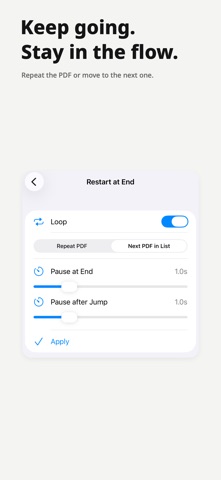
Hands off. Just read. With a single tap, smooth auto-scroll begins. From research papers, textbooks, and documents to sheet music, stay focused on reading. Keep your hands on your instrument and your eyes on the score. Read, rehearse, or present at your own pace with PDF AutoScroll. Key Features (Included) All listed features are included with your app purchase. No additional purchase or subscription is required. • Smooth auto-scroll, precise speed control, and up/down direction • Search, highlights, bookmarks, table of contents, and Dark Mode • Recent PDFs, favorite folders, and last-position restore • A different speed for each page and a start delay • Page margin trimming • Repeat, next-PDF playback, and saved PDF lists • Side-by-side PDF reading on iPad and Mac Privacy • No account required. Your PDF files are read on your device. Device Support • iPhone, iPad, Mac • App and setup guide in 32 languages [Get started] Open a PDF, tap Play, and adjust the speed. Pause whenever you want. Notes Margin trimming changes only the reading view. Your original PDF and shared file stay unchanged. - Contact: help@paran.app - Terms of Use: https://www.apple.com/legal/internet-services/itunes/dev/stdeula/ - Privacy Policy: https://paran.app/privacy-policy/
What's new · 1.3.3
All listed features are included with your app purchase. No additional purchase or subscription is required.
Details