

Pencil Planner: PencilTime
Semore Software · Productivity
Independent analytics for this App Store listing. AppTracker is not affiliated with Semore Software.
Chart standing · US
What changed · US
Listing changes AppTracker has observed for this app in this storefront — new versions, price moves, rating shifts, and store copy.
Find your words across PencilTime. • Search typed text across planner and Note pages from the magnifying glass in the top bar. • Filter results to All, Planner, or Notes. Sort by last updated, creation date, planner date, page type, title, or relevance. • Choose whether capital letters must match, then tap a result to open its page. • Keep your search words when you close and reopen search. • Enjoy improved scrolling while the keyboard is open, clearer search results, and a more balanced toolbar. • Keep planner pages and their written tasks and appointments available when you travel or change your device time zone.
Price & rating history · US
Reconstructed from the listing changes AppTracker has observed in this storefront. A field is charted once it has changed more than once, and each line starts at the value it moved from.
Average rating · ★ 4.59 now · 5 changes on record
Ratings breakdown · US
The star breakdown behind this app's rating in this storefront.
Screenshots




About
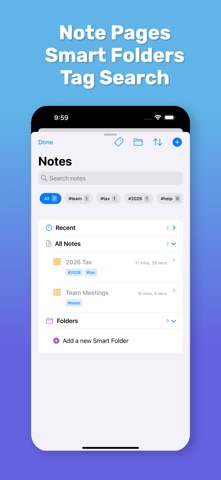
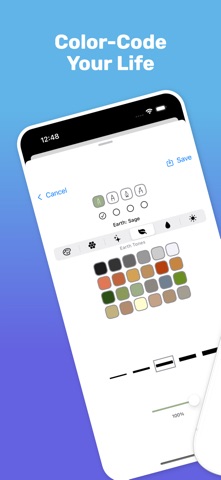
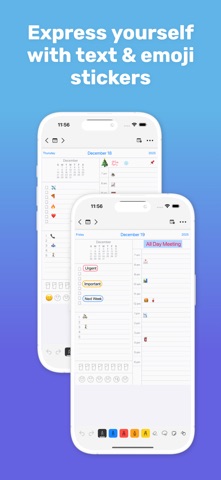
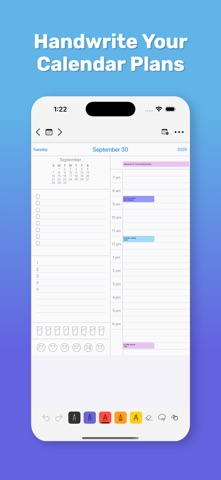
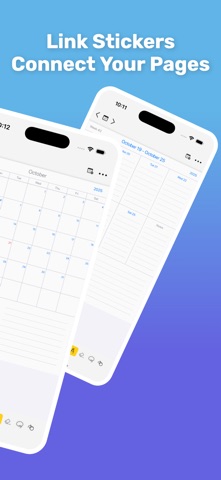
YOUR PLANNER, YOUR WAY PencilTime brings the freedom of a paper planner to iPad and iPhone, with the convenience of digital tools when you need them. Write naturally with Apple Pencil on iPad, sketch with your finger, or type when text works better. Plan your days, weeks, months, and year, keep notes alongside your plans, and organize everything without giving up the flexibility of pen and paper. PLAN ACROSS YOUR WHOLE LIFE Move naturally between Day, Week, Month, and Year views. Write directly on your planner, add typed details where supported, and keep projects, meetings, ideas, journals, and reference material on dedicated Note pages. Whether you're planning a busy workday, outlining a project, keeping a journal, or simply figuring out what comes next, PencilTime gives you room to plan without forcing you into a rigid system. WRITE, TYPE, AND MARK THINGS UP • Write, sketch, and highlight with Apple Pencil or touch. • Type on Note pages and supported planner areas. • Format Note text with size, color, bold, italic, underline, highlighting, alignment, lists, and indentation. • Add editable lines, arrows, rectangles, rounded rectangles, and ellipses. • Mix handwriting, typed text, shapes, stickers, links, and images on the same page. FIND WHAT YOU NEED AGAIN Search typed content across planner and Note pages from the top-bar magnifying glass. Filter results to Planner or Notes, sort in several ways, choose whether capitalization must match, and jump directly back to the page you need. Search includes supported typed page content, Note titles, Note text, Day entries, and Link labels. Handwriting, drawings, template labels, attachments, and live Apple Calendar events are not included in text search. START WITH A LAYOUT, MAKE IT YOUR OWN Choose from bundled Note layouts for Paper, Study, Work, Productivity, Personal, Home & Money, and Creative uses. Use layouts for meeting notes, assignments, exam prep, projects, budgets, checklists, habit tracking, brainstorming, sketching, and more. Change a Note page's background later while keeping your existing content in place. KEEP EVERYTHING CLOSE • Connect planner and Note pages with Page Links. • Add website, email, phone, message, and file links. • Attach files and preview them with Quick Look. • Add reminders, photos, images, labels, and emoji. • Return quickly with Bookmarks, Recent Pages, and Back navigation. • Export completed pages as PDF or PNG. WORK THE WAY YOU PREFER Use PencilTime with the on-screen keyboard or a hardware keyboard. Choose Fit Page or Fit Width when viewing portrait pages in landscape, set your preferred first day of the week, and use your device language for planner date labels. START FREE, ADD PREMIUM WHEN YOU NEED IT Start with handwriting, supported typed text, search, bundled Note layouts, and one new Note page per day. Premium adds unlimited Note pages, Tags and Smart Folders, Apple Calendar integration, iCloud sync, and access to future planner dates. Apple Pencil is supported on compatible iPads. iPhone supports touch and keyboard input. iCloud sync requires Premium and the same Apple Account on your devices. --- Privacy Policy: https://semore-software.com/penciltime-privacy-policy.html Support: support@semore-software.com By using this app, you agree to Apple’s standard End User License Agreement: https://www.apple.com/legal/internet-services/itunes/dev/stdeula/
What's new · 1.13.1
Find your words across PencilTime. • Search typed text across planner and Note pages from the magnifying glass in the top bar. • Filter results to All, Planner, or Notes. Sort by last updated, creation date, planner date, page type, title, or relevance. • Choose whether capital letters must match, then tap a result to open its page. • Keep your search words when you close and reopen search. • Enjoy improved scrolling while the keyboard is open, clearer search results, and a more balanced toolbar. • Keep planner pages and their written tasks and appointments available when you travel or change your device time zone.
Details