

PDF Snap–Compress PDF
晓洪 梁 · Utilities
Independent analytics for this App Store listing. AppTracker is not affiliated with 晓洪 梁.
Chart standing · US
What changed · US
Listing changes AppTracker has observed for this app in this storefront — new versions, price moves, rating shifts, and store copy.
• Refined the PDF Split interface for clearer, more intuitive controls. • Added a PDF Split guide to help you get started quickly. • Added a PRO member card with subtle holographic effects and tilt interaction.
Screenshots


About
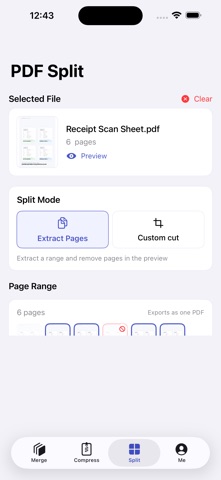
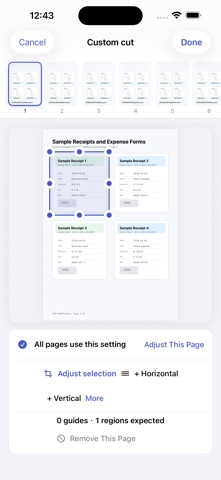
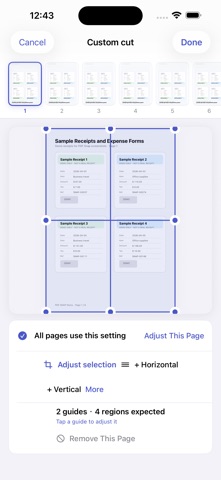
Convert photos and images to PDF, compress large PDF files, merge documents, and split or extract pages — all on your iPhone. PDF Snap processes your selected files on-device. Your documents and images are not uploaded to our servers. It is a one-time purchase with no subscription. Main features • Photos to PDF: Choose images from Photos or Files, set the page size and orientation, and create a standard or scan-style PDF. • PDF compression: Choose clarity-first, balanced, or stronger compression. Preview the estimated size before processing to balance readability and file size. • PDF merge: Combine PDF files and images into one document, reorder items, set a file name, and add a text watermark. • PDF split and page extraction: Select a page range and save only the pages you need as a new PDF. • Crop and guide-line slicing: Remove blank margins or unrelated areas, or drag split lines to turn several receipts, forms, or screenshots on one page into separate PDF pages. • Local history and export: Preview and rename results on your device, save them to Files, or use the iOS share sheet. Useful for • Turning photos, receipts, and screenshots into one PDF • Combining contracts, class notes, or work attachments • Reducing a PDF before email, chat, or form upload • Extracting selected pages from a long document • Cropping scan margins or unrelated content • Separating several receipts captured on one page PDF Snap is a one-time purchase with no subscription. Other than a manual Check for Updates action, core document processing does not depend on a network connection.
What's new · 1.6.3
• Refined the PDF Split interface for clearer, more intuitive controls. • Added a PDF Split guide to help you get started quickly. • Added a PRO member card with subtle holographic effects and tilt interaction.
Details