

Read Aloud : Speech
Marwan Akhandaf · Productivity
Independent analytics for this App Store listing. AppTracker is not affiliated with Marwan Akhandaf.
Chart standing · US
What changed · US
Listing changes AppTracker has observed for this app in this storefront — new versions, price moves, rating shifts, and store copy.
- Redesigned voice controls make choosing a voice, adjusting speed, and previewing audio easier. - Improved system and premium voice playback, including pause, resume, and stop. - Added support for older Word (.doc) files. - Fixed PDF sizing and improved page navigation.
Screenshots




About
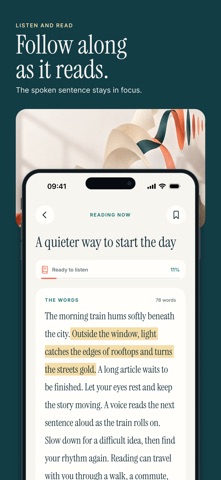
Turn documents, books, and articles into audio with Read Aloud. Import a PDF, open an EPUB ebook, add a Word document, or paste your own text. Listen while you commute, study, or take a break from the screen. Make every reading session your own: • Read more formats: Listen to PDFs, EPUB ebooks, and Word documents, including DOC and DOCX files. • Choose your voice: Use built-in system voices or explore natural-sounding premium voices with Read Aloud Plus. • Set your pace: Adjust playback speed and preview a voice before you start. • Stay in control: Pause, resume, and navigate through your reading. • Keep your place: Return to saved reading progress and continue where you left off. • Save what matters: Bookmark passages and add notes for later. From study materials and work documents to your next favourite book, Read Aloud gives you another way to enjoy the words that matter. Premium voices and selected features require a Read Aloud Plus subscription.
What's new · 1.0.3
- Redesigned voice controls make choosing a voice, adjusting speed, and previewing audio easier. - Improved system and premium voice playback, including pause, resume, and stop. - Added support for older Word (.doc) files. - Fixed PDF sizing and improved page navigation.
Details