

eSign: Fill and Sign Documents
Timon Scherzinger · Utilities
Independent analytics for this App Store listing. AppTracker is not affiliated with Timon Scherzinger.
Chart standing · US
What changed · US
Listing changes AppTracker has observed for this app in this storefront — new versions, price moves, rating shifts, and store copy.
Ratings breakdown · US
The star breakdown behind this app's rating in this storefront.
In-app purchases · US
What this app sells inside itself, grouped by kind and priced for this storefront.
Screenshots



About
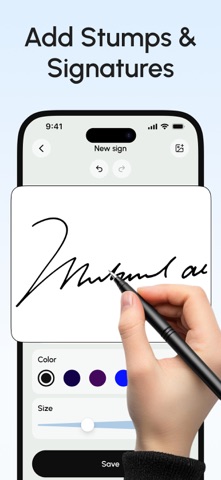
Easily sign and send documents with Scan, eSign & Fill Documents, all at your fingertips. It’s the simplest solution for your business needs, without any login or registration, and no expensive subscription charges. You can easily scan a document using your device’s camera, fill your documents within the app, and add your real signature with your finger or using a stylus. If you prefer a pen-drawn signature, you can simply sign on paper, capture a photo, and insert it into your document. Import and prepare your document entirely on your device and share it instantly. KEY FEATURES: SCAN: Quickly create a PDF scan from your camera within the app and digitize your paper documents. FILL: Fill out documents and forms with multiple options for adding Text, Checkmarks, Date, Images, QR Code, and more. SIGN: Sign realistically with hand-drawn signatures or add Initials within the app and digitally sign your documents. IMPORT: Import documents from Dropbox, OneDrive, Google Drive, iTunes Share, URL, and through other apps with “Open In” functionality. ATTACH DOCUMENTS: Attach any document at the end of your ready PDF and send it wherever you like. PRINT: You may even print your documents directly from your device and handle paperwork efficiently. Privacy Policy: https://telegra.ph/Privacy-Policy-03-04-99 Terms of use: https://telegra.ph/Terms-of-Use-03-04-2
What's new · 1.0.1
Minor bug fixes
Details