

ScanKeeper: Loyalty Wallet
NOMADIX APPS LLC · Shopping
Independent analytics for this App Store listing. AppTracker is not affiliated with NOMADIX APPS LLC.
Chart standing · US
What changed · US
Listing changes AppTracker has observed for this app in this storefront — new versions, price moves, rating shifts, and store copy.
Dark theme: barcodes are now easier for checkout scanners to read. Fixed various bugs and minor issues. Thanks for using ScanKeeper!
Ratings breakdown · US
The star breakdown behind this app's rating in this storefront.
In-app purchases · US
What this app sells inside itself, grouped by kind and priced for this storefront.
Screenshots




Similar apps
Competitors and close alternatives, as estimated by AppTracker.
 Barcodes: Loyalty Card Wallet
Small Colossus PTY LTD
Barcodes: Loyalty Card Wallet
Small Colossus PTY LTD
 StoreCard: Loyalty Card Wallet
Maksim Chentsov
StoreCard: Loyalty Card Wallet
Maksim Chentsov
 Discount Card Wallet: Barcodes
MobArts Ltd
Discount Card Wallet: Barcodes
MobArts Ltd
 KeepCard: Loyalty Card Wallet
Andrei Leontiev
KeepCard: Loyalty Card Wallet
Andrei Leontiev
 Loyalty Card Wallet: CardStash
GREG ANDREW ROSS
Loyalty Card Wallet: CardStash
GREG ANDREW ROSS
 Loyal — Card Wallet
Morgan Atkins
Loyal — Card Wallet
Morgan Atkins
 Scan QR Code - QR Scanner
090Bravo Hong Kong Limited
Scan QR Code - QR Scanner
090Bravo Hong Kong Limited
 QR Code Reader · Barcode Maker
Hey Apps LLC
QR Code Reader · Barcode Maker
Hey Apps LLC
About
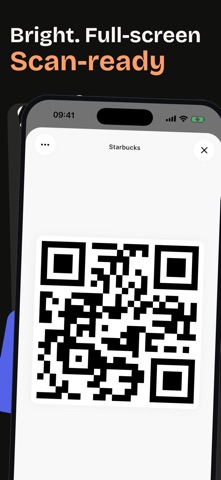
Never lose a loyalty card or a QR code again. Your wallet is bursting with plastic cards you barely use. Your Photos app is littered with screenshots of tickets and barcodes you'll never find when you need them. ScanKeeper fixes both — a barcode scanner and digital wallet in one app, so every code lives in one place and opens in a single tap. Scan Anything Point your camera and ScanKeeper instantly reads QR codes, UPC, EAN, PDF417, Data Matrix, Aztec, Code 128, and more. A product in a store, a Wi-Fi code scribbled on a café chalkboard, a boarding pass, a concert ticket, a library membership — it just reads. A Wallet for Your Cards Save loyalty cards, coupons, memberships, gift cards, and tickets — each with a name you'll actually recognize. Scan it from the card, or import a screenshot you already have. At the checkout, the gym door, or the cinema entrance — one tap shows the code full-screen, auto-brightened so scanners catch it on the first try. Built for Real Life • Groceries — all your loyalty cards in one place, no more digging through plastic • Travel — boarding passes, hotel memberships, rental-car rewards, visa QR codes • Events — concerts, sports, cinemas, museum passes • Daily errands — gym, library, coworking, parking • Receipts & labels — quickly scan and look up a product barcode Stay Organized Group cards into folders — Shopping, Travel, Home, Work — and swipe between them right on the Home tab. Archive codes you might need later. Rename and edit whenever you want. Your wallet stays as tidy as you want it. iCloud Sync Your codes move between your iPhone and iPad automatically via iCloud. Switch devices without losing a thing — pick up on a new phone right where you left off. Import from Photos Already have a QR code in your camera roll? Pick any photo or screenshot and ScanKeeper pulls the code out. Works on older screenshots too — no need to re-scan anything. Home Screen Widgets Pin your most-used cards to the Home Screen. One glance, one tap, done — no app-hunting while the queue behind you grows. Little Details You'll Notice • Auto-brightness boost when displaying a code, so scanners read it on the first try • Swipe between folders right from the Home tab • Light & dark themes, tuned for both • Localized in 40+ languages • Works offline — scanning and storing don't need a connection • No account, no sign-up • No ads — not one, anywhere in the app ScanKeeper gives your phone the job your wallet was doing badly. Download it and find out how much room you get back — in your pocket and in your head. Terms of Use (EULA): https://www.apple.com/legal/internet-services/itunes/dev/stdeula/
What's new · 2.8.1
Dark theme: barcodes are now easier for checkout scanners to read. Fixed various bugs and minor issues. Thanks for using ScanKeeper!
Details