

TV Remote; Universal Control +
Tech Nest IT Services · Utilities
Independent analytics for this App Store listing. AppTracker is not affiliated with Tech Nest IT Services.
Chart standing · US
What changed · US
Listing changes AppTracker has observed for this app in this storefront — new versions, price moves, rating shifts, and store copy.
Bug Fixes & Improvements
Price & rating history · US
Reconstructed from the listing changes AppTracker has observed in this storefront. A field is charted once it has changed more than once, and each line starts at the value it moved from.
Average rating · ★ 4.61 now · 21 changes on record
Ratings breakdown · US
The star breakdown behind this app's rating in this storefront.
In-app purchases · US
What this app sells inside itself, grouped by kind and priced for this storefront.
Screenshots



About
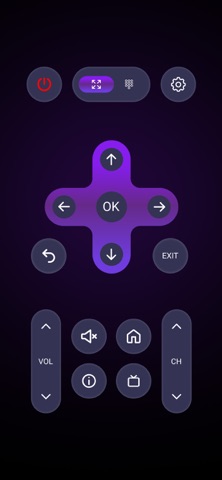
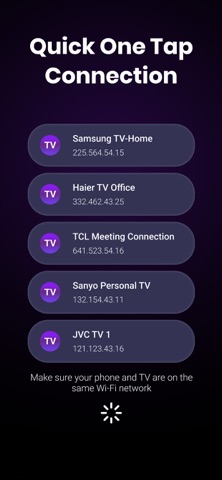
Control your Smart TV with ease using TV Remote: Universal Remote · , the ultimate universal TV remote for iPhone. Compatible with all major brands, it works as a Samsung, Roku, LG, Sony, and even a Fire remote. Connect instantly over Wi-Fi and enjoy seamless control, adjust volume, switch channels, change inputs, launch apps, or type with the built-in keyboard. Whether you need a reliable backup for a lost remote or want the convenience of managing everything from your phone, the Roku makes your entertainment smarter and easier. Key Features: Power ON/OFF - Volume adjustment - Channel switching - Touchpad & D-Pad controls - Built-in keyboard Key Features of TV Remote: Universal Remote · Power ON/OFF: Instantly turn your Smart TV on or off using your phone. TV Remote: Universal Remote · works as a complete remote control for TV. Volume Adjustment: Manage sound effortlessly with precise volume control. Replace your physical TV remote with the universal remote app that functions perfectly as a Fire TV remote, giving you smoother, smarter control. Channel Switching: Change channels quickly and smoothly. Whether you’re using it as a Roku remote, this feature ensures easy navigation for all your favorite shows, apps, and movies. Touchpad& D-Pad Controls: Navigate menus, apps, and settings with intuitive touchpad and D-pad options. The universal remote serves as the ideal backup, replacing lost or broken remotes like the Vizio TV remote. Built-in Keyboard: Type and search with speed using the integrated keyboard. Whether acting as a Roku remote or any other, you’ll enjoy faster browsing, better input, and smarter control. How to Get Started: Make sure your phone and Smart TV are connected to the same Wi-Fi network. Tap the “Connect” icon in the top right. Select your Smart TV from the list shown on your phone. Start exploring and enjoy full control instantly! With TV Remote: Universal Remote ·, managing your Smart TV has never been easier. Change channels, search for content, and enjoy an enhanced viewing experience all without leaving your couch. Disclaimer: TV Remote: Universal Remote · is an independent product and is not affiliated with, sponsored by, or endorsed by any of the mentioned TV brands or streaming platforms, including Samsung, LG, Sony, Roku, Fire TV, TCL, Panasonic, Toshiba, and others. All trademarks, product names, and logos belong to their respective owners and are used for descriptive purposes only. By using our app, you accept our Privacy Policy and Terms of Use. Privacy Policy: https://sites.google.com/view/technestitservices/iremote-control-for-tv/privacy-policy Terms of Use: https://sites.google.com/view/technestitservices/iremote-control-for-tv/terms-of-use
What's new · 1.1.5
Bug Fixes & Improvements
Details