

Tilt Shift Camera Miniature
MANUEL MATAS GALEOTE · Photo & Video
Independent analytics for this App Store listing. AppTracker is not affiliated with MANUEL MATAS GALEOTE.
Chart standing · US
What changed · US
Listing changes AppTracker has observed for this app in this storefront — new versions, price moves, rating shifts, and store copy.
Bug fixes and performance improvements.
Price & rating history · US
Reconstructed from the listing changes AppTracker has observed in this storefront. A field is charted once it has changed more than once, and each line starts at the value it moved from.
Average rating · ★ 3.00 now · 2 changes on record
Ratings breakdown · US
The star breakdown behind this app's rating in this storefront.
In-app purchases · US
What this app sells inside itself, grouped by kind and priced for this storefront.
Screenshots



About
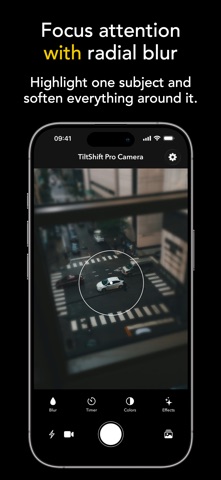
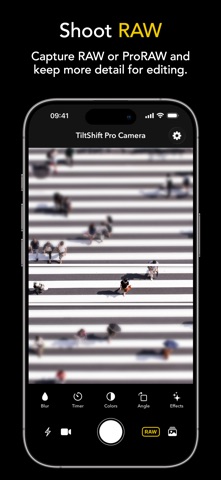
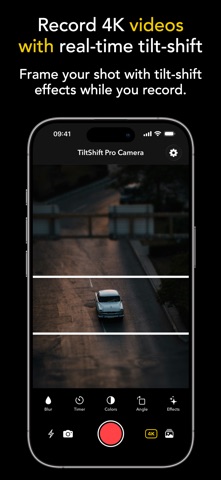
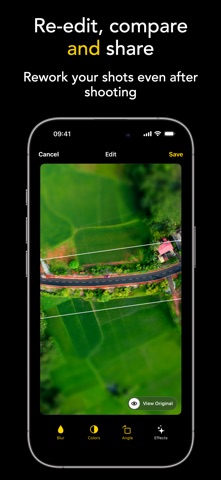
Turn photos and videos into miniature worlds with Tilt Shift. Tilt Shift is a creative camera and editor built for the classic tilt-shift "toy world" look. Capture directly with the effect in real time, or import existing photos and videos from your library and transform them with precise blur, color, filter, and speed controls. REAL-TIME TILT-SHIFT CAMERA See the effect before you shoot. The live camera preview lets you frame, adjust, and capture with the tilt-shift look already applied. • Linear tilt-shift blur for cityscapes, landscapes, streets, and architecture • Radial blur for portraits, objects, food, cars, and individual subjects • Touch controls to move and resize the focus area • Adjustable blur intensity • Angle control for linear focus bands • Smooth high-performance preview • Flash, timer, zoom, and zoom presets when supported PHOTO AND VIDEO CAPTURE Create both still images and videos with a cinematic miniature style. • Capture tilt-shift photos • Record videos with audio • Record in HD or 4K when available • Apply the effect during video processing • Save to the built-in gallery or share your creations seamlessly ADVANCED PHOTO EDITOR Take full control after capture. Edit your shots with professional adjustments and a clean, focused workflow. • Saturation • Contrast • Exposure • Temperature • Vignette • Film grain • Artistic filters • Linear and radial blur adjustments • Original vs edited comparison • Non-destructive editing for supported captures VIDEO EDITING AND SPEED CONTROL Tilt Shift is not only for photos. Import or record videos, then refine them with visual adjustments and creative playback speed. • Edit imported or recorded videos • Adjust video speed from 0.5x to 16x • Preview with play/pause and timeline scrubbing • Adjust color and apply film grain, vignettes, and filters • Export and share processed videos IMPORT FROM YOUR LIBRARY Already have the perfect shot? Bring it in. • Import photos and videos from your photo library • Apply tilt-shift effects to existing media • Save edited versions in the app gallery BUILT-IN CREATIVE GALLERY Keep your tilt-shift work organized in one place. • Combined photo and video gallery • Automatic date grouping • Full-screen preview • Compare original and edited versions • HD/4K video and RAW badges for supported captures PROFESSIONAL CAMERA TOOLS Designed for more precise shooting. • Rule-of-thirds grid • Horizon level • Haptic feedback when the camera is level • RAW / ProRAW capture on supported devices • Option to enable RAW capture by default • Camera interface designed for use in portrait orientation PREMIUM FEATURES Unlock the full creative toolkit in Tilt Shift. • Full blur controls • Advanced color and effect tools • Speed up videos up to 16x • 4K video features when supported • No watermark • Premium editing workflow Whether you want to make a city look like a tiny model, add cinematic focus to a video, create dreamy portraits, or stylize your travel shots, Tilt Shift gives you a fast and intuitive way to create the miniature look directly on your iPhone. Download Tilt Shift and start seeing the world from a new perspective. Terms of Use (EULA): https://www.apple.com/legal/internet-services/itunes/dev/stdeula/
What's new · 2.8.0
Bug fixes and performance improvements.
Details