

File Converter: Video Mp3 Pdf
Furkan KAYA · Utilities
Independent analytics for this App Store listing. AppTracker is not affiliated with Furkan KAYA.
Chart standing · US
What changed · US
Listing changes AppTracker has observed for this app in this storefront — new versions, price moves, rating shifts, and store copy.
New: try every tool for free. Pick your file, set it up and convert — then unlock saving and sharing with Pro. Redesigned Pro screens with clear pricing, and a free trial for eligible new subscribers. WebP images can now be converted to JPG, PNG and more. Plus a fix for the rating prompt and better in-app measurement.
In-app purchases · US
What this app sells inside itself, grouped by kind and priced for this storefront.
Screenshots


About
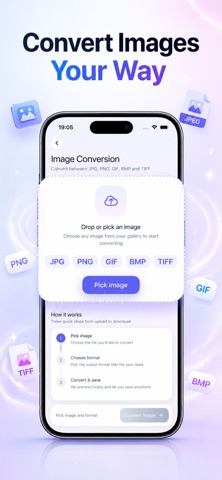
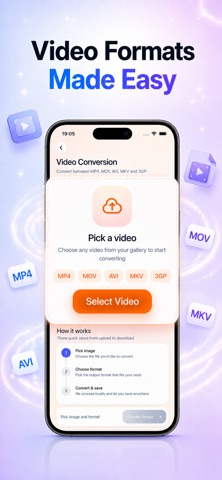
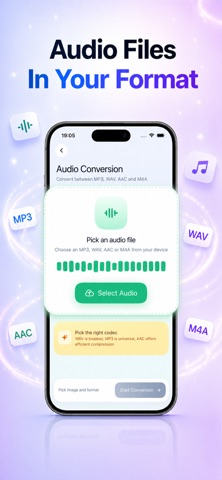
File Converter is a robust utility designed to manage all your file conversion and compression needs. Effortlessly convert images, videos, audio and documents into popular formats such as JPG, PNG, PDF, DOCX, MP4 and M4A. As a reliable file converter, it delivers high-quality results and rapid processing. Key Features: • Comprehensive File Conversion: Transform images, videos, and audio files with precision. Whether acting as an image converter, video converter, or audio converter, File Converter covers all your media conversion and format conversion tasks. • Document Conversion: Turn Word into PDF and PDF into Word, and convert between PDF, DOCX, XLSX, PPTX, RTF and TXT. • Advanced File Compression: Reduce file sizes significantly while maintaining optimal quality. The file compression feature streamlines digital file management and maximizes storage efficiency. • ZIP Tools — Unzip & Create Archives: Open a ZIP file and pull out everything inside, including password-protected archives, or bundle several files into a single ZIP to share. File Converter works with ZIP archives; RAR and 7z are not supported. • Detailed Conversion Analytics: Monitor your file conversion history with insightful statistics. Track the number of converted files, identify the most frequently used formats, and measure overall space savings through comprehensive conversion analytics. • User-Friendly Interface: Enjoy a clean and intuitive design tailored for both professionals and everyday users. The app’s easy navigation simplifies the process of file conversion, media conversion, and file compression, making digital file management more efficient. Supported Formats: • Images: open JPG, PNG, HEIC, WEBP, GIF, TIFF, BMP — save as JPG, PNG, GIF, BMP, TIFF • Video: MP4, MOV, MKV, AVI, 3GP • Audio: open MP3, WAV, AAC, M4A — save as WAV, AAC, M4A • Documents: PDF, DOCX, XLSX, PPTX, RTF, TXT • Archives: ZIP (open and create) Your Privacy: Photos, videos and audio are converted right on your iPhone. Documents are converted securely on our server and are never stored. Try It Free: Every tool is free to use — pick a file, choose the settings and convert. Saving and sharing your results requires File Converter Pro. Subscription & Pricing: Saving and sharing converted files requires an active subscription. Eligible new subscribers can start with a free trial. Pricing and available plans are shown in the app before you purchase — there are no hidden charges. Payment is charged to your Apple Account at confirmation. Subscriptions renew automatically unless auto-renew is turned off at least 24 hours before the end of the current period. You can manage or cancel your subscription anytime in your Apple Account settings. Privacy Policy: https://kayaapps-convertease.blogspot.com/2025/02/convertease-fileconvert-privacy-policy.html Term of Use (EULA): https://www.apple.com/legal/internet-services/itunes/dev/stdeula/
What's new · 1.0.8
New: try every tool for free. Pick your file, set it up and convert — then unlock saving and sharing with Pro. Redesigned Pro screens with clear pricing, and a free trial for eligible new subscribers. WebP images can now be converted to JPG, PNG and more. Plus a fix for the rating prompt and better in-app measurement.
Details