

E-signature app: sign & fill |
INTOUCH APPS, OOO · Utilities
Independent analytics for this App Store listing. AppTracker is not affiliated with INTOUCH APPS, OOO.
Chart standing · US
What changed · US
Listing changes AppTracker has observed for this app in this storefront — new versions, price moves, rating shifts, and store copy.
- Create professional invoices with customizable numbers, dates, currencies, companies, customers, products, services, discounts, notes, and payment details. - Manage reusable invoice templates, product and service catalogs, tax profiles, companies, and customers in one place. - Apply flexible tax settings by country, invoice, or individual item, including tax overrides and reusable tax templates. - Preview invoices as PDFs and save them directly to your document library. - Use PDF Tools to merge, split, organize, convert, compress, print, and protect PDF files. - Reorder, rotate, duplicate, delete, extract, and add pages from images or other PDFs. - Convert PDFs to JPG or PNG images, or create PDFs from multiple images with customizable page sizes and margins. - Protect PDFs with passwords, remove protection, reduce file size, and manage printing and copying permissions. - Search and import files easily, track processing progress, retry failed operations, and share or save completed results.
Ratings breakdown · US
The star breakdown behind this app's rating in this storefront.
In-app purchases · US
What this app sells inside itself, grouped by kind and priced for this storefront.
Screenshots


About
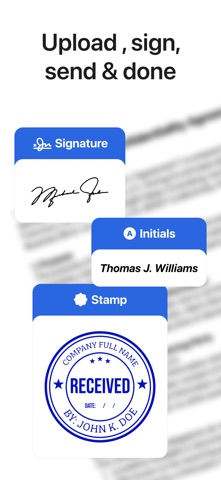
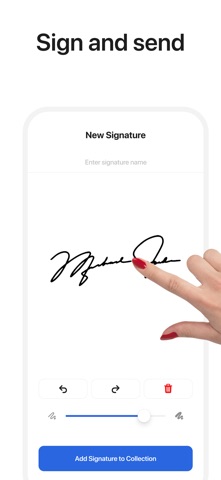
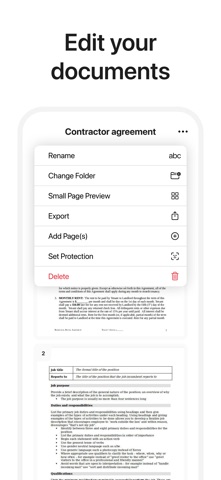
Sign, fill, and manage documents anytime, anywhere. Handle important paperwork faster with a simple document signing solution designed for everyday use. Upload files, add your signature, fill in forms, and share completed documents in just a few taps. Whether you need to sign agreements, contracts, forms, invoices, or personal paperwork, this app helps streamline your document workflow and keeps everything organized in one place. Key Features: - Create and add your digital signature Sign documents quickly with a handwritten or typed signature. - Fill out forms easily Add text, dates, checkmarks, and required details directly to your files. - Import documents instantly Open PDF files from your device, cloud storage, email, or other apps. - Edit and annotate Highlight important sections, add notes, and mark up documents. - Share completed files Export signed documents and send them securely. - Organize your paperwork Keep your signed and pending documents easy to access. - Fast document workflow Complete paperwork in minutes without printing or scanning. Perfect For: - Business agreements - Contracts and proposals - Rental forms - Permission slips - Tax and legal documents - Personal paperwork Simplify document signing and keep your workflow moving wherever you are. Privacy Policy: https://docs.google.com/document/d/1usutgQqQktcQl3HCrxGkCZJf8aHYssAndwPEIEsS36U/edit?usp=sharing Terms of Use: https://docs.google.com/document/d/1VyebOFmq9H8-qxl4ZTE-UDwBOO8GKlAbe7PICSoGXZk/edit?usp=sharing
What's new · 1.1.0
- Create professional invoices with customizable numbers, dates, currencies, companies, customers, products, services, discounts, notes, and payment details. - Manage reusable invoice templates, product and service catalogs, tax profiles, companies, and customers in one place. - Apply flexible tax settings by country, invoice, or individual item, including tax overrides and reusable tax templates. - Preview invoices as PDFs and save them directly to your document library. - Use PDF Tools to merge, split, organize, convert, compress, print, and protect PDF files. - Reorder, rotate, duplicate, delete, extract, and add pages from images or other PDFs. - Convert PDFs to JPG or PNG images, or create PDFs from multiple images with customizable page sizes and margins. - Protect PDFs with passwords, remove protection, reduce file size, and manage printing and copying permissions. - Search and import files easily, track processing progress, retry failed operations, and share or save completed results.
Details