

Watermark Editor - Ceal
REAFO CO., LTD. · Graphics & Design
Independent analytics for this App Store listing. AppTracker is not affiliated with REAFO CO., LTD.
Chart standing · US
What changed · US
Listing changes AppTracker has observed for this app in this storefront — new versions, price moves, rating shifts, and store copy.
Thank you for using our service. - Fixed minor bugs.
Ratings breakdown · US
The star breakdown behind this app's rating in this storefront.
In-app purchases · US
What this app sells inside itself, grouped by kind and priced for this storefront.
Screenshots



About
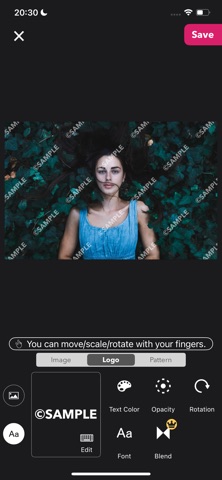
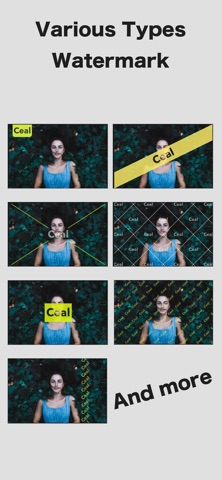
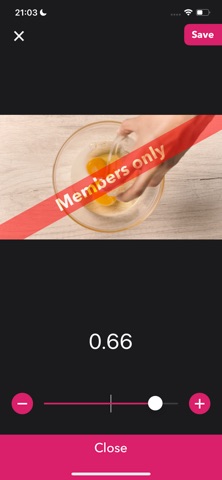
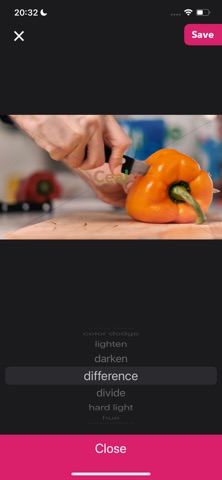
Make Your Videos and Images Truly Yours with Custom Watermarks Ceal makes it easy to create watermarked images and videos by freely placing your own logos and text. Perfect for social media posts, portfolios, and protecting your creative work. ## ■ Who Is Ceal For? * Anyone who posts images or videos on social media * Creators who want to protect their portfolios and artwork * Anyone who wants to give their work a distinctive branded look ## ■ How It Works 1. Choose a Video or Image Select the content you want to edit. 2. Create Your Logo Design your watermark using text or an image. 3. Choose a Pattern Customize how your logo is positioned and repeated. 4. Save and You're Done! Your watermarked content is ready to use. ## ■ About Logos Ceal supports two types of logos: Text Logos and Image Logos. You can freely move, rotate, resize, and customize your logos with your fingers. ・Text Logo * Choose your font * Adjust the color * Adjust the opacity * Rotate the logo ・Image Logo * Crop * Flip * Round the corners * Adjust the opacity * Rotate ## ■ About Patterns Patterns let you control how your logo is positioned and repeated across your images and videos. The available settings vary depending on the pattern. Some video-specific patterns include settings that can only be configured when the playback time is set to 0 seconds. ## ■ Ceal Plus Features ・Blend Modes Fine-tune how your logo blends with the underlying image or video for a more natural look or a more prominent watermark. ・Exclusive Patterns Unlock advanced patterns available only with Ceal Plus. ・Batch Mode Add your logo to multiple images at once. Perfect for preparing a collection of your work for social media or other platforms. ・Ad-Free Experience Enjoy Ceal without ads. ※ Features available with Ceal Plus can also be previewed in the free version, but you cannot save the results. Try them out with the preview first and see what Ceal Plus can do for you! ----------------- [Term Of Use] https://policies.reafo.io/terms/ceal/en/ [Privacy Policy] https://policies.reafo.io/privacy/en/
What's new · 3.0
Thank you for using our service. - Fixed minor bugs.
Details