

Video to Audio Converter ◌
Kartika Ardiani · Photo & Video
Independent analytics for this App Store listing. AppTracker is not affiliated with Kartika Ardiani.
Chart standing · US
What changed · US
Listing changes AppTracker has observed for this app in this storefront — new versions, price moves, rating shifts, and store copy.
Price & rating history · US
Reconstructed from the listing changes AppTracker has observed in this storefront. A field is charted once it has changed more than once, and each line starts at the value it moved from.
Average rating · ★ 4.65 now · 3 changes on record
Ratings breakdown · US
The star breakdown behind this app's rating in this storefront.
In-app purchases · US
What this app sells inside itself, grouped by kind and priced for this storefront.
Screenshots



About
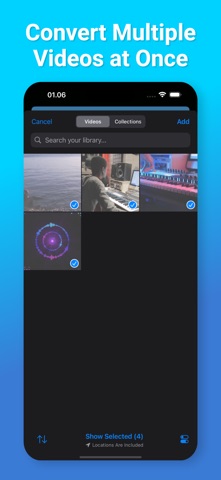
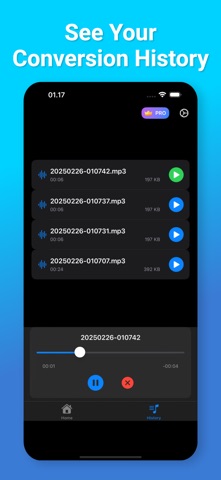
Need to turn a video into audio? With Video to Audio Extractor, it’s easy and fast! You can quickly change any video file into an audio file in just a few seconds. Whether it’s a song, a speech, or any video sound you want to keep, this app helps you get it with no hassle. Key Features: • Convert Video to Audio: Pick any video, and get the audio in seconds. • Convert Many Videos at Once: Choose many videos, and convert them all together to save time. • Save to Files: Keep your audio files safely in your phone storage. • Share Easily: Send your audio files to friends or apps with one tap. • History List: See all your past conversions and access your files anytime. • Fast and Simple: The app works in seconds, so you don’t have to wait. How to Use: 1. Open the app. 2. Select one or more videos from your phone. 3. Press Convert – your audio will be ready in seconds. 4. Save or share your audio with just one tap! No need to struggle with difficult tools. With Video to Audio Extractor, converting video to audio is quick and easy for everyone! Video to Audio Extractor app is free. You can use it forever, at no cost. However, Video to Audio Extractor does offer premium features for its subscribers. If you decide to purchase an upgrade, you will unlock additional features. Terms of Use: https://olivetapp.github.io/Video-to-Audio/term-of-use Privacy Policy: https://olivetapp.github.io/Video-to-Audio/privacy-policy
Details