

Panasonic LUMIX Flow
PANASONIC ENTERTAINMENT & COMMUNICATION CO., LTD. · Photo & Video
Independent analytics for this App Store listing. AppTracker is not affiliated with PANASONIC ENTERTAINMENT & COMMUNICATION CO., LTD.
Chart standing · US
What changed · US
Listing changes AppTracker has observed for this app in this storefront — new versions, price moves, rating shifts, and store copy.
・Added support for DC-S9(Ver.2.1). ・Improved app UI and operability.
Price & rating history · US
Reconstructed from the listing changes AppTracker has observed in this storefront. A field is charted once it has changed more than once, and each line starts at the value it moved from.
Average rating · ★ 2.89 now · 4 changes on record
In-app purchases · US
No in-app purchases.
Screenshots




About
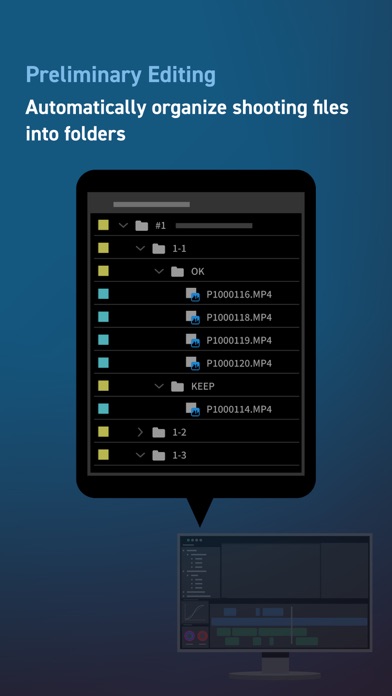
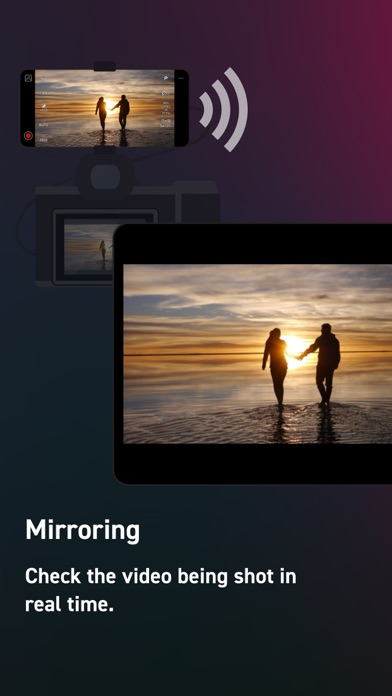
For creators who love to shoot video. Smoothly streamline your video production workflow, from script writing to editing! From dramas and documentaries to music videos and dance clips in the entertainment genre, LUMIX Flow is easy to use even for beginners and supports a smooth video production process. 【LUMIX Mode】 Easily create scripts, storyboards, and shot lists. Use the app to visually sketch out scenes, illustrating your subject's position, direction, shot angle and more. Use your smartphone as an external monitor for your LUMIX camera. Check your shot list and storyboard on your smartphone while shooting. You can easily see which shots have already been taken at a glance, ensuring you never forget a key shot and allowing you to work through your shoot smoothly and efficiently. Shooting files are automatically divided into folders based on your ' OK / KEEP / BAD' rating by importing XML files from the app into your video editing software. Efficiently organize files after shooting and shorten the time you spend editing. 【Smartphone/Tablet Mode】 You can script, shoot, and edit a short drama or documentary video using just your smartphone, enjoying all the fun of filmmaking without the need for a camera or computer. 【External Monitor】 Connect your smartphone to your LUMIX camera to use it as an external monitor while shooting. Quickly check focus on-site. Compatible with: DC-S1RM2, DC-S1M2, DC-S1M2ES, DC-S1M2NT, DC-S5M2, DC-S5M2X, DC-S9, DC-GH7 OS Compatibility: iOS 17.0 or higher *Recommended for models with a USB Type-C connector. To connect with a Lightning cable, a genuine Apple 'Lightning-USB Camera Adapter' or 'Lightning-USB3 Camera Adapter' is required. [Notes] ・Be aware that when using the location information recording function, continued use of the GPS function can lead to a dramatic decrease in battery capacity. ・For information on using this app or compatible models, visit the following support page. https://panasonic.jp/support/global/cs/soft/lumix_flow/index.html ・Please understand that we will not be able to contact you directly even if you use the “Email Developer” link.
What's new · 1.7.0
・Added support for DC-S9(Ver.2.1). ・Improved app UI and operability.
Details